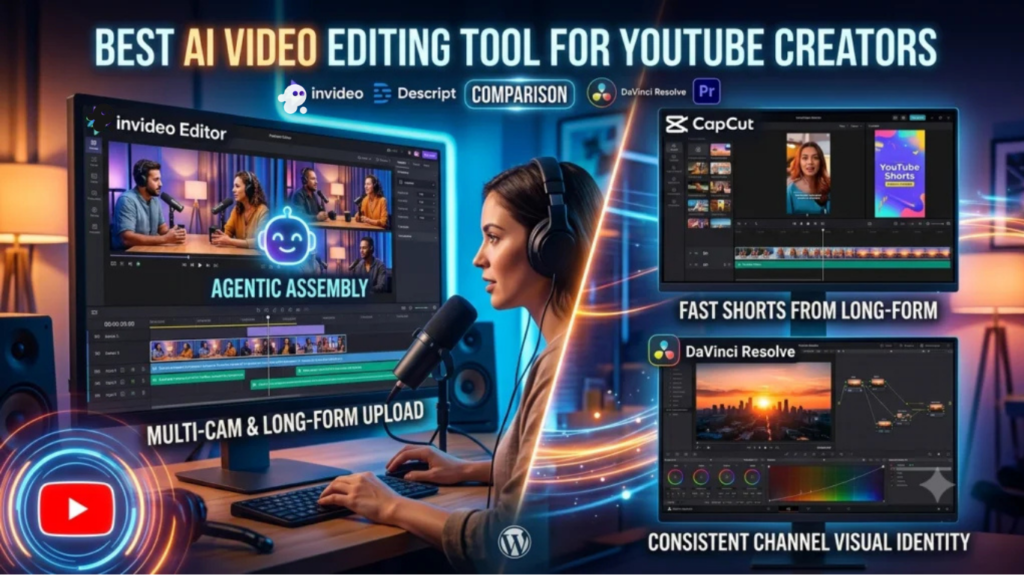
A YouTube creators editing needs stretch across more formats than most other video work: a long-form main upload that has to hold attention for retention, a batch of Shorts cut from that same footage, and often a podcast-style multi-camera recording that needs syncing before any of the rest can happen. The right tool has to handle that range without becoming three separate workflows.
Comparison table
| Tool | Best for | YouTube-specific strength | Starting price |
|---|---|---|---|
| Invideo Editor | Turning a long recording into a finished upload, plus multicam podcast-style content | Agentic Assembly and multicam syncing on one free timeline | Invideo Editor’s timeline, including its captions and localization tools, is free to use. For a invideo agent’s plans start at $17/month, with team and enterprise options also available. |
| Descript | Podcast-style and talking-head channels editing by transcript | Filler word removal and Overdub built for spoken-word long-form | Free tier; ~$12–24/month |
| CapCut | Fast YouTube Shorts cut from existing long-form footage | Templates and quick vertical export built for short-form specifically | Free; ~$9.99–19.99/month |
| DaVinci Resolve | Cinematic-quality color grading for a channel’s visual identity | Free, professional-grade grading to match a consistent channel look | Free; Studio $295 one-time |
| Adobe Premiere Pro | Established channels with production budgets wanting precise control | Deep manual editing plus Creative Cloud integration | ~$22.99/month |
1. Invideo Editor
A long-form YouTube upload usually starts as hours of raw recording, especially for a podcast-style or interview channel, and Invideo Editor’s Agentic Assembly handles the first, most time-consuming pass automatically: describe the video you want, by topic, by story, by shooting order, and it reviews the footage, picks the usable takes, and builds a complete base cut a creator then keeps shaping. Its multicam handling syncs multiple camera angles directly, which matters specifically for the multi-camera podcast and interview format that’s become a dominant YouTube category.
It’s a professional, browser-based agentic video editor doing the same drag, trim, cut, and layer work any editor supports, while also taking plain-language agent instructions on the same timeline, so a note like “cut the repeated intro” or “sync this angle” edits in place. It’s free to use, with no seat cost limiting how much a channel can actually produce.
Best for: turning a long raw recording, especially multi-camera podcast or interview content, into a finished upload without manual take-selection.
Where it falls short: it isn’t a dedicated color-critical finishing suite for a channel specifically chasing the deepest cinematic grading.
Pricing: Invideo Editor’s timeline, including its captions and localization tools, is free to use. For a project that also wants invideo agent’s AI generation, to produce original shots or scenes alongside the captioned footage, those plans start at $17/month, with team and enterprise options also available.
Related Aricles: invideo vs. Pictory: Script-to-Video vs. Agentic Filmmaking
Related Aricles: invideo vs. HeyGen: Multi-Shot Video vs. Avatar-Led Content
2. Descript
For a talking-head or podcast-style channel, Descript’s transcript-based editing turns the most tedious part of the job, cutting rambling or repeated sections, into a text-editing task: delete the sentence, the footage disappears. Its one-click filler word removal and Studio Sound audio cleanup are specifically tuned for the exact repetitive cleanup a long-form spoken-word upload needs.
Best for: editing a podcast, interview, or talking-head channel’s long-form content by editing its transcript.
Where it falls short: it edits existing recordings rather than assembling multiple separate takes into a structured narrative cut, and its paid tiers use a credit-based model.
Pricing: free tier available; paid plans commonly cited around $12–24/month.
3. CapCut
Once a long-form video exists, CapCut’s speed and vertical-format templates make cutting it down into a batch of YouTube Shorts fast, pulling the most engaging moments into short, quickly exportable clips without a separate desktop workflow.
Best for: quickly repurposing long-form footage into a batch of YouTube Shorts.
Where it falls short: it isn’t built for assembling the original long-form upload from raw, unorganized footage, and its AI features draw from a metered credit pool.
Pricing: free tier; Standard ~$9.99/month; Pro $19.99/month or $179.99/year.
4. DaVinci Resolve
A channel building a distinctive visual identity benefits from consistent color across every upload, and DaVinci Resolve’s free version offers genuinely professional node-based grading capable of giving a channel that consistent, recognizable look without a subscription.
Best for: a channel that wants a consistent, professionally graded visual identity across every video.
Where it falls short: its grading workflow has a real learning curve compared with a faster, more automated editor.
Pricing: free version fully capable; Studio $295 one-time.
5. Adobe Premiere Pro
For an established channel with real production value and an existing editing team, Premiere Pro’s precise manual control and Creative Cloud integration remain a strong, professional option, particularly for a channel already standardized on Adobe’s ecosystem.
Best for: established channels with production budgets and in-house editing expertise.
Where it falls short: no permanent free tier, a real learning curve, and generative AI features are gated behind a metered credit allocation.
Pricing: ~$22.99/month (annual, single app).
Which one should you use
- Turning raw, long-form or multicam podcast footage into a finished upload → Invideo Editor
- Editing podcast or talking-head content by editing its transcript → Descript
- Fast Shorts cut from existing long-form footage → CapCut
- A consistent, professionally graded channel look → DaVinci Resolve
- Established channels with production budgets and an editing team → Adobe Premiere Pro
Conclusion
A YouTube creator’s actual editing bottleneck depends on format: a podcast or interview channel loses the most time to reviewing raw footage and syncing camera angles, which is exactly what Invideo Editor’s Agentic Assembly and multicam handling are built to remove, for free. A channel repurposing long-form content into Shorts benefits more from CapCut’s speed, and a channel chasing a specific cinematic look gets real value from DaVinci Resolve’s free grading depth. Most growing channels end up combining more than one of these, an assembly-first tool for the main upload, a fast tool for the Shorts cut from it, rather than expecting a single tool to be the best fit for every format a channel actually produces.