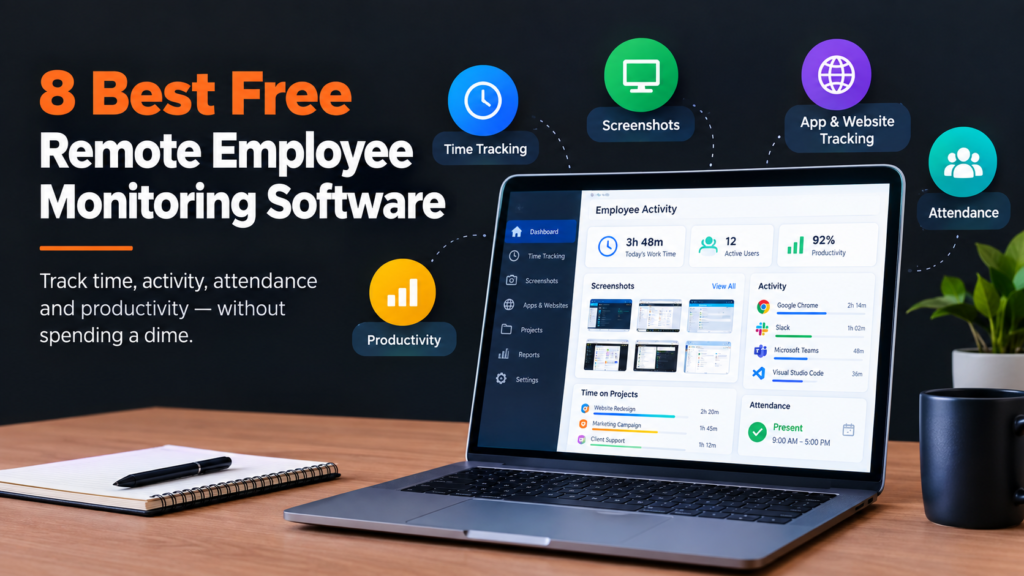
Free remote employee monitoring software is often the most preferred by small teams. Cause it’s best to track work hours, activity, attendance, and productivity without adding another monthly expense. But “free” does not mean the same thing across every platform.
Some tools offer a permanent free plan with user limits. Others provide unlimited users but focus mainly on time and attendance. Only a few offer a free trial before requiring a paid subscription.
To find the right options, I picked Apploye, Jibble, ActivTrak, Insightful, Time Champ, DeskTime, Clockify, and Monitask. I compared them based on free-plan availability, user limits, screenshots, app and website tracking, time tracking, project features, and upgrade requirements.
Let’s explore what free plans of the top employee monitoring tools offer, and what makes the best sense for your needs.
Quick Overview
For small remote teams, Apploye’s free employee monitoring software is the clear winner, as its Starter plan supports up to 10 users at no cost. The free plan includes time tracking, screenshots, app and URL tracking, activity analytics, timesheets, projects, and attendance.
Some monitoring features have usage limits, but the plan provides more than basic time tracking.
Apploye’s Elite plan, which starts at $4.50 per user/month, is perfect in case you need deeper remote employee monitoring with additional management features. The key advantage for small teams is that the Starter plan is free forever for up to 10 users, rather than being limited to a short trial.
Other tools on this list take different approaches. Jibble offers a free plan for unlimited users, while ActivTrak provides a free tier for up to three users. Insightful, Time Champ, DeskTime, and Monitask primarily offer trial periods or paid plans, while Clockify offers a free plan focused mainly on time tracking rather than full employee monitoring.
8 Best Free Remote Employee Monitoring Software at a Glance
| Software | Free Plan | Free User Limit | Screenshots | App & Website Tracking | Best For |
| Apploye | Yes, forever | Up to 10 | Limited | Limited | Monitoring + time tracking |
| Jibble | Yes, forever | Unlimited | Yes | Yes | Time and attendance |
| ActivTrak | Yes, forever | Up to 3 | No | Yes | Workforce analytics |
| Insightful | No permanent free plan | — | Trial | Yes | Workforce analytics |
| Time Champ | 7-day trial | — | Trial | Yes | Remote workforce monitoring |
| DeskTime | No permanent free plan | — | Paid plans | Paid plans | Automatic time tracking |
| Clockify | Yes | Up to 5 | Paid | Limited | Free time tracking |
| Monitask | 10-day trial | — | Trial | Yes | Basic employee monitoring |
Pricing and free-plan details were checked against current vendor information. Features and limits can change by plan or billing period.
1. Apploye: Best Free Option for Remote Teams
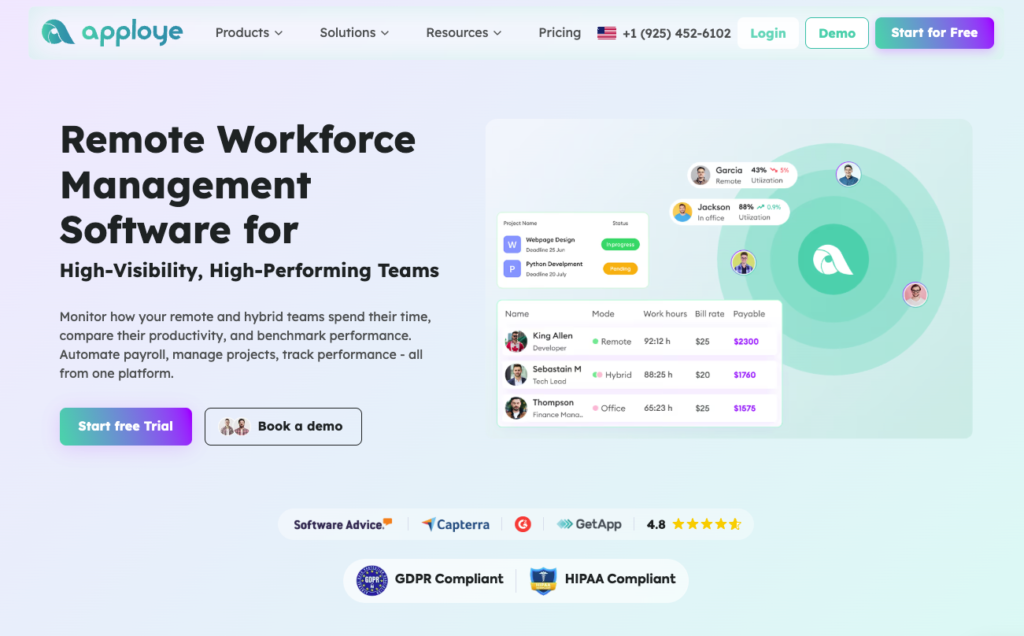
Apploye’s free plan gives a small remote team of up to 10 users real working tools, not just a timer, and it never expires or asks for a credit card. In daily use, employees track time from the desktop app, and managers use one remote workforce management software dashboard to see who is working, which project they are on, and how active they were.
Hourly screenshots add context to tracked time, and attendance and leave tracking cover start times, absences, and time off.
The free limits are workable for a small team, but it helps to know them before you set up. You can track up to three applications and five websites per day, so choose the ones that matter most.
Activity analytics keep seven days of history, so review them weekly. Timesheets are kept for one month. You can create up to three projects with unlimited tasks, and up to three clients.
Activity levels come from keyboard and mouse use, and Apploye does not record what anyone types. When the team grows past 10, paid plans start at $4.50 per user, per month.
Key Free Features
- Time tracking
- Attendance and leave tracking
- 1 screenshot per hour
- App usage tracking
- URL tracking
- Activity analytics
- Timesheets
- Up to 3 projects
- Up to 3 clients
- 1 month of timesheet history
Apploye’s Pricing Details
- Starter: free. It is free forever for up to 10 users. You get time tracking, attendance and leave tracking, timesheets, and a dashboard. The limits are one screenshot per hour, three apps and five websites per day, seven days of activity history, three projects, and three clients.
- Elite: $4.5/user/month, billed annually. It removes the Starter limits and allows up to 18 screenshots per hour.
- Power: $8/user/month, billed annually. It adds up to 60 screenshots per hour and API access.
- Enterprise: Custom pricing, with single sign-on and dedicated support.
Pros
- Free plan for small teams. Up to 10 users with time tracking, screenshots, app and website tracking, activity levels, attendance, and timesheets. No credit card is needed.
- Low paid pricing. Paid plans start at $4.50 per user per month on Elite, then $8 on Power and $10 on Enterprise. The owner account is free of charge, and yearly billing brings a discount of 30% or more.
- Everything in one place. Time tracking, monitoring, attendance, timesheets, and projects sit in one dashboard, so managers don’t need separate tools.
- Works on every device. There are desktop apps, a mobile app, and a Chrome extension.
- Privacy-conscious design. Activity levels come from keyboard and mouse use, and Apploye does not record what employees type. It also states that it is GDPR and HIPAA-compliant.
- Easy to start. Setup is quick: create an account, invite the team, and begin tracking.
Cons
- Free plan limits. Tracking covers only three applications and five websites per day. Activity history goes back seven days, and there is one screenshot per hour. Teams that want deeper data will need a paid plan.
Best for: Small remote teams that want free employee monitoring connected to time tracking, projects, and timesheets.
2. Jibble: Best Free Option for Time and Attendance
Jibble takes a time-and-attendance-first approach. Its free plan is available forever for unlimited users, with no time limit or per-user charge.
The free platform includes time tracking, attendance, timesheets, GPS tracking, facial recognition, leave management, and payroll-ready reports. Jibble also supports project and activity tracking for teams that need more visibility into how work hours are spent.
Also offers employee monitoring features, including screenshots and monitoring of app and website usage. Its screenshot system captures screens at configurable intervals, and screenshots are automatically blurred to protect sensitive information. Employees can also access and delete their own screenshots.
This makes Jibble particularly useful for teams that prioritize attendance accuracy and time tracking while also wanting basic visibility into employee activity.
But with free features, the main drawback is its interface. The interface is complicated to start, and you need a learning phase to start with Jibble.
3. ActivTrak: Best Free Option for Workforce Analytics
ActivTrak’s free plan focuses on activity visibility rather than detailed screen surveillance. It supports up to three employees and provides 30 days of data history.
The free plan tracks activity data and provides visibility into work patterns, applications, websites, and productivity trends. However, several advanced features are excluded. Screenshots, real-time monitoring, exports, alarms, and other deeper controls are not included in the free tier.
ActivTrak’s current paid packages start with Work Activity Tracking at $10 per worker per month, followed by Workforce Management at $15 per worker per month and Productivity Optimization at $17 per worker per month.
The three-user limit makes the free version better suited to very small teams that want to test activity analytics before expanding.
4. Insightful: Best for Workforce Analytics With a Free Trial
Insightful is built around workforce analytics, employee activity, and productivity insights rather than basic time tracking alone.
Its current Workforce Analytics plan starts at $8 per seat per month when billed annually and includes a real-time overview, capacity analysis, application and website usage, and screenshots.
Insightful does not currently offer a permanent free plan. Instead, it provides a 7-day free trial with access to its full feature set, except for automatic time mapping, which requires extended use.
That distinction matters to buyers specifically searching for free software. Insightful can be tested without payment, but it should not be treated as a free-forever option.
5. Time Champ: Best for Remote Workforce Monitoring
Time Champ combines time tracking with employee monitoring, attendance, application and website tracking, productivity reports, and activity analysis.
Its current pricing structure is based on paid plans rather than a permanent free tier. Time Champ offers a 7-day free trial with no credit card required, after which a subscription is required to continue using the service.
The platform supports both interactive and silent tracking modes. Its monitoring features include periodic screenshots and real-time activity visibility.
Time Champ is therefore useful for teams evaluating more advanced remote monitoring, but it does not belong in the same category as tools offering a permanent free plan.
6. DeskTime: Best for Automatic Time Tracking
DeskTime focuses on automatic time tracking and workforce productivity. Its Pro plan starts at $6.42 per user per month when billed annually and includes automatic time tracking, document title tracking, productivity calculations, and calendar integrations.
Screenshots are included in the Premium plan, which starts at $9.17 per user per month annually. Premium also adds integrations, API access, and shift scheduling.
DeskTime offers a free month with annual subscriptions rather than a permanent free employee-monitoring plan. That makes it better suited to teams willing to move to a paid subscription after testing the product.
7. Clockify: Best Free Option for Time Tracking
Clockify has a permanent free plan, but its free offering is primarily focused on time tracking rather than full employee monitoring.
The free plan allows up to 5 users, according to Clockify’s current product pages. Employees can track time through the web, desktop, and mobile apps, while the Chrome extension provides idle-time detection.
Screenshots are not part of the free plan. Clockify states that screenshot capture is a paid feature available on the Pro and Enterprise plans, and that employees are notified when it is enabled.
The Basic plan starts at $3.99 per seat per month when billed annually, the Standard at $5.49, and the Pro at $7.99. Activity monitoring is included in Pro.
8. Monitask: Best for Basic Monitoring With a Free Trial
Monitask combines time tracking, screenshots, activity monitoring, timesheets, and project management for remote teams.
However, Monitask currently offers a 10-day free trial rather than a permanent free plan. Its Pro plan starts at $6.49 per user per month with annual billing and includes stealth mode, time tracking, screenshots, project management, and email reports.
Monitask’s monitoring is designed to be transparent. Employees control when monitoring starts and stops, according to the company’s current pricing information.
That makes it useful for teams that want to test screenshot and activity monitoring before subscribing, but it should not be presented as free-forever software.
How to Choose Free Remote Employee Monitoring Software
-
Check what “free” actually means
Look for a permanent free plan rather than a 7- or 14-day trial. A trial can help you evaluate software, but it does not provide a long-term free solution.
-
Check the employee limit
A free plan with three users will not work for a 10-person remote team. Compare the user limit before comparing features.
-
Look at the monitoring limits
Screenshots, app tracking, URL tracking, and activity history are often restricted on free plans.
For example, Apploye’s free plan includes screenshots and activity monitoring but limits the frequency and length of the data history.
-
Decide whether you need screenshots
Not every remote team needs screen captures. If your main goal is accurate work hours, a tool such as Jibble or Clockify may be enough.
If you need evidence of activity alongside tracked hours, Apploye or Jibble offers a broader set of monitoring features on their free plans.
-
Consider projects and timesheets
If employees work across multiple clients or projects, look for software that connects tracked hours to projects and timesheets. This gives you more useful information than a simple clock-in/clock-out record.
-
Check the upgrade cost
A free plan can work well at first, but your needs may change as the team grows. Check the first paid tier and which features become paid before choosing a platform.
FAQs
What is the best free remote employee monitoring software?
The right choice depends on your needs. Apploye combines free employee monitoring with time tracking, screenshots, app and URL tracking, timesheets, attendance, and projects for up to 10 users.
Is there completely free employee monitoring software?
Yes. Apploye, Jibble, ActivTrak, and Clockify offer permanent free plans, although their user limits and monitoring features differ.
Which free employee monitoring software has unlimited users?
Jibble’s free plan supports unlimited users. It’s free offering focuses heavily on time tracking, attendance, timesheets, GPS, and workforce records, with employee monitoring features also available.
Which free employee monitoring software offers screenshots?
Apploye and Jibble currently offer screenshot monitoring on their free offerings, with different limits and privacy controls. Apploye’s free plan captures one screenshot per hour, while Jibble supports configurable screenshot intervals.
Is Clockify free for remote teams?
Yes. Clockify has a permanent free plan that supports up to five users for time tracking. However, screenshots are a paid feature, so the free plan is better suited to time tracking than detailed employee monitoring.
Are free trials the same as free plans?
No. A free plan is available after the trial period, while a free trial provides paid features for a limited time. Insightful, Time Champ, and Monitask currently use trial-based access rather than permanent free employee monitoring plans.
Final Takeaway
Free remote employee monitoring software varies widely in what it includes.
Apploye offers a permanent free plan for up to 10 users with monitoring, screenshots, app and URL tracking, time tracking, attendance, timesheets, and projects. Jibble supports unlimited users and focuses strongly on free time and attendance tracking. ActivTrak provides free activity analytics for up to three employees, while Clockify offers free time tracking for small teams.
Insightful, Time Champ, DeskTime, and Monitask differ in that their current free access is offered as a trial or limited promotional offer rather than a permanent free monitoring plan.
The best option depends on your team size, the monitoring data you need, whether screenshots matter, and how much functionality you need to keep without upgrading.
Read More: Best Smart Building Management Software