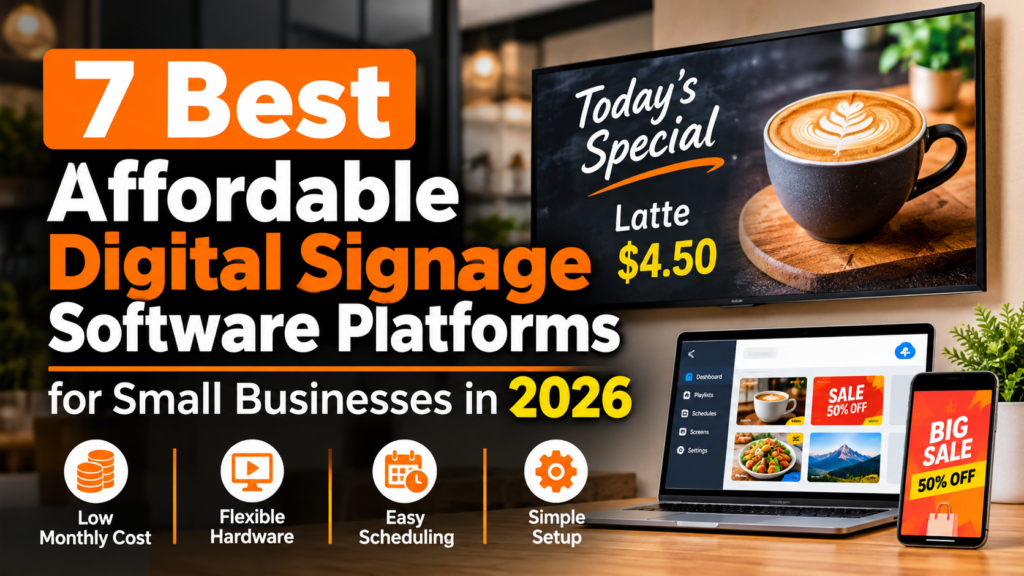
A single menu board or promotional screen should not require a capital project. For a cafe, boutique, salon or community venue running one to ten displays without IT staff, the challenge is choosing software that keeps both the monthly bill and daily upkeep manageable. A low advertised rate is a starting point, but hardware purchases, billing commitments and plan limits also affect the total cost.
Our top pick is Billiie for budget-conscious operators that want smart TV signage without a contract. It has the lowest listed paid per-screen rate in this guide: $1 per screen per month, plus a free watermarked plan. It turns compatible Fire TV, Android TV and other supported smart TVs into managed displays for menus, images and video without proprietary hardware. Play Digital Signage is the strongest alternative for plugin integrations and dynamic content widgets. MangoSigns is worth considering for teams seeking scheduling and multi-screen control at small-business pricing.
This guide is for single-location and small multi-site owners comparing affordable digital signage software. Monthly cost matters, but so do hardware requirements, scheduling and the time needed to make updates. The seven platforms below serve different needs, starting with the recommendation for buyers whose main priority is a low monthly software bill.
Selection criteria
Affordable digital signage software varies in total cost and operational fit. The criteria below explain what to weigh, particularly when a non-technical team needs manageable costs and straightforward screen updates.
Monthly per-screen cost
Per-screen pricing determines whether one display is viable and whether three or five remain affordable. Clear monthly rates make comparisons easier; bundles can leave single-screen buyers paying for unused capacity.
Free plan or trial availability
A free plan or trial lets owners test readability, scheduling and playback on their TVs. Watermarked free tiers offer longer testing time, though the branding can be a drawback for customer-facing placements.
Hardware flexibility
Reusing existing screens matters on a tight budget. Support for common smart TV systems and low-cost sticks can avoid a proprietary player purchase. The List of smart TV platforms shows why checking compatibility is a practical first step.
Ease of setup for non-technical owners
Setup should be possible without networking expertise. Browser editors, app-store installs and guided pairing help owners get started, while systems requiring dedicated IT support are less suitable for this audience.
Content scheduling and remote management
Useful basics include remote updates and playlists scheduled by time or location. Dayparting and multi-location controls matter most when they match the business’s actual food-service or retail routine.
Contract terms
Month-to-month terms suit seasonal businesses and first-time buyers testing one screen. Annual lock-ins or unclear renewal terms deserve attention alongside the advertised monthly rate.
At a glance: the 7 platforms compared
| Platform | Best for | Starting price or trial | Key strength |
| Billiie | Low-cost smart TV signage without contracts | $1 per screen per month; free watermarked plan | Lowest listed paid per-screen rate, remote playlists and multi-location control |
| Play Digital Signage | Content-rich displays with plugin integrations | Paid plans from $8 per screen per month; first screen stays free with a review within 30 days | Plugins, templates and offline playback |
| Directable | Standardizing on Amazon hardware | 14-day free trial | Amazon Signage Stick support and remote content distribution |
| MangoSigns | Templates and team permissions | Basic $9.95 per sign per month, or $8.95 with annual billing; 14-day premium trial | Browser editor, animated templates and flexible scheduling |
| SQUIZZ Digital Signage | App-based playlists | Free start available | Google Play and Amazon Appstore installation with scheduled media playlists |
| Citadel Digital Signage | Scheduling with familiar content tools | Business $17 per screen per month; Enterprise $27; 14-day trial | Dayparting and Canva, Google Drive and YouTube integrations |
| PosterBooking | A multi-screen free pilot | First 10 screens free for 3 months, then free with watermark; Home Basic $52/month for 10 screens removes watermark | Broad player support and remote multi-location management |
The 7 best affordable digital signage software platforms for small businesses
These seven platforms offer different routes to managing displays on a small-business budget. Some emphasize low per-screen pricing; others provide more content integrations or broader hardware support. Start with the features needed for daily use, then compare the total bill at the intended screen count. Number one is the recommendation for operators prioritizing low paid-plan costs and flexibility.
#1. Billiie – Best for ultra-budget smart TV signage with no contracts
Best for food-service, retail and events operators seeking compatible smart TV signage at a low paid per-screen rate without a contract.
Billiie turns supported Fire TV, Android TV and other compatible smart TV devices into cloud-managed displays without a proprietary media player purchase. Owners upload images, videos and digital menus, create scheduled playlists and manage screens across locations from one dashboard. This suits operators with one to ten screens and limited technical support, replacing on-site USB swaps and printed posters with remote updates.
The paid plan costs $1 per screen per month, and the free plan carries a watermark. Accounts can cancel anytime without a contract, useful for seasonal menus, pop-ups and single-screen tests. A reseller and white-label program is also available for agencies, consultants or multi-site operators offering signage under their own brand.
Key specs
- $1 per screen per month paid plan
- Free plan available with watermark
- No contracts, cancel anytime
- Compatible with supported Fire TV, Android TV and other smart TV devices
- Upload images, videos and digital menus
- Schedule content and create playlists
- Remotely manage multiple screens and locations
- Reseller and white-label program available
Pros
- Lowest listed paid per-screen rate in this guide keeps single-screen software costs low
- Free watermarked plan allows testing before paying for screens
- No-contract terms preserve flexibility to scale up or cancel
- Reuses compatible smart TVs, avoiding proprietary hardware spending
- Remote management and scheduling reduce staff time spent changing content
Cons
- Free plan includes a watermark; brand-sensitive placements need the paid tier for a clean display
- Compatibility covers supported devices only, so older TVs may need a compatible stick or device
- Operators relying on third-party widgets should compare integration coverage with their content needs
Who it is best for: Single-location cafes, quick-service restaurants, boutiques, salons and event organizers prioritizing low monthly costs and remote menu or promotion updates without contracts.
#2. Play Digital Signage – Best for content-rich displays with plugin integrations
Best for small businesses seeking dynamic screens with social feeds, weather and animations without enterprise pricing.
Play Digital Signage has a cloud-based editor with templates and animations, plus more than 50 plugins for social media, weather and other live content. Owners can schedule playlists by time and screen, then send content from a browser to supported hardware. Offline playback helps keep displays running when connectivity drops.
The first screen includes Pro features and can stay free if the account holder leaves a review within 30 days. That condition matters when comparing ongoing costs: a qualifying single-screen account can cost less than any paid plan. Additional screens start at $8 per screen per month on Essential; Pro is $12 and Ultimate is $16. Monthly service has no contract, while paying annually provides a discount in exchange for prepayment.
Key specs
- Cloud-based editor with templates and animations
- 50-plus plugins for social, weather and other dynamic content
- First screen stays free with a review within 30 days
- Paid plans: Essential $8, Pro $12 and Ultimate $16 per screen per month
- No contracts
- Scheduling and playlist management
- Broad supported hardware options
- Offline playback support
Pros
- First free screen offers an entry point for single-screen testing
- Plugin library supports automated content without repeated manual redesigns
- Templates and animation tools help non-designers create polished layouts
- Offline playback helps locations with unstable connectivity
- No-contract billing keeps multi-screen expansion flexible
Cons
- Keeping the first screen free requires a review within 30 days
- Paid screens start at $8 per month, so additional displays cost more than $1 alternatives
- Advanced features such as API access and synchronization require Pro rather than Essential
Who it is best for: Retailers, hospitality venues, houses of worship, schools and offices wanting live feeds and scheduled variety rather than static images alone.
#3. Directable – Best for standardizing on Amazon hardware
Best for small businesses planning a screen network around Amazon Signage Sticks and central content management.
Directable is a cloud-based platform for sending digital content to screens at different locations from a central account. Its Amazon Signage Stick support gives owners a specific player option to build around. Connect the supported stick to an HDMI display, pair the screen and manage content remotely rather than visiting each location to change files.
A 14-day free trial provides time to try the setup before paying. A useful pilot includes pairing the player, uploading a typical menu or promotion, testing playlist behavior and sending a remote update. For a business planning several locations, using the same player at each site can also make staff setup instructions easier to repeat.
Key specs
- Cloud-based digital signage for remote content distribution
- Amazon Signage Stick support
- 14-day free trial
- Central management for screens in different locations
- HDMI stick-based deployment option
Pros
- Amazon Signage Stick support provides a clear hardware starting point
- Central cloud control allows content updates without site visits
- The trial allows hands-on testing with the intended screen and content
- A standardized player setup can simplify rollout across small locations
Cons
- A stick-based deployment requires a player for each display, adding hardware to the project budget
- The 14-day trial gives less testing time than an ongoing free plan
Who it is best for: Small operators wanting to standardize on Amazon stick hardware and manage screen updates centrally.
#4. MangoSigns – Best for templates and growing teams
Best for small teams seeking professional scheduling, templates and multi-screen control without an enterprise software budget.
MangoSigns turns a TV into a connected sign managed through a browser editor. Animated templates and flexible playlist scheduling help food-service and retail operators rotate breakfast and lunch menus, alongside promotions and announcements, without manual swaps. Multi-screen and multi-location management lets teams expand from one display to several rooms or sites.
Basic costs $9.95 per sign per month with monthly billing or $8.95 with yearly billing. A 14-day premium trial requires no card, allowing owners to try higher-tier features before choosing. Basic includes single-user access and basic integrations; higher plans add users, permissions and premium integrations for teams needing shared access and more connections.
Key specs
- Cloud-based platform with browser editor
- Animated templates for menus and promos
- Flexible scheduling and playlists
- Basic $9.95 per sign per month monthly, $8.95 yearly
- 14-day premium trial with no card required
- Basic includes single user and basic integrations
- Higher plans add multiple users, permissions and premium integrations
- Multi-screen and multi-location support
Pros
- Scheduling and template tools help small teams produce polished displays
- Browser editing avoids on-premise servers and installed design software
- No-card trial makes premium features easier to try
- User roles and permissions support delegation as teams grow
Cons
- Basic allows one user and basic integrations; teams needing more must choose a higher plan
- Per-sign pricing exceeds $1 options, which matters for buyers watching every dollar
- Annual billing lowers the monthly rate but reduces flexibility for seasonal operators
Who it is best for: Growing cafes, retailers and offices willing to pay a moderate per-sign rate for scheduling, templates and permissions as their screen network expands.
#5. SQUIZZ Digital Signage – Best for app-based playlist setup
Best for brick-and-mortar operators wanting a simple upload-and-schedule workflow on supported devices.
SQUIZZ Digital Signage organizes setup around a familiar sequence: install its app from Google Play or the Amazon Appstore, log in to the website, upload media, create a playlist and schedule it. Owners can bring a supported device or order a SQUIZZ-approved device. That choice is useful for a single shop testing existing equipment before committing to a wider rollout.
The playlist approach fits recurring notices, promotions and event announcements. A cafe could prepare menu images for different parts of the day, while a service business could rotate opening hours and appointment information. These uses depend more on readable artwork and a sensible schedule than on elaborate screen designs. Before deploying any display, consider its position and power use; for California installations, the state’s Regulatory Advisory: Televisions and Signage Displays addresses applicable efficiency requirements.
Key specs
- App installation from Google Play or Amazon Appstore
- Website-based account access
- Media uploads and scheduled playlists
- Bring a supported device or order an approved device
- Free start available
Pros
- App-store installation offers a familiar route to getting started
- Scheduled playlists suit recurring announcements and promotions
- Supported existing hardware can reduce initial equipment spending
- An approved-device option gives buyers another route to setup
Cons
- Existing equipment must support the app; an incompatible setup needs another device
- Ordering an approved device adds hardware to the deployment budget
Who it is best for: Independent retailers, cafes and service shops that want app-based setup and scheduled media playlists rather than a complex content-production workflow.
#6. Citadel Digital Signage – Best for plug-and-play setup with built-in app integrations
Best for owners wanting browser-based management, optional hardware and links to familiar content tools.
Citadel Digital Signage uses a cloud dashboard to manage screens from a browser, with per-screen, per-group or organization-wide playlists. Business costs $17 per screen per month and Enterprise costs $27, with a 14-day no-card trial and cancel-anytime terms. An optional $60 HDMI player is sold separately for owners who want a dedicated device for their display.
Available integrations include Canva, Google Drive and YouTube. Weather, Google Reviews and News Ticker are coming soon rather than available today. Dayparting automates morning, midday and after-hours playlists, helping operators rotate breakfast, lunch and evening content without manually switching the display at each change.
Key specs
- Business $17 per screen per month, Enterprise $27 per screen per month
- 14-day trial with no card, cancel anytime
- Cloud dashboard for browser-based management
- Available integrations: Canva, Google Drive, YouTube
- Weather, Google Reviews and News Ticker coming soon
- Dayparting for automatic morning, midday and after-hours content
- Multi-screen scheduling per screen, per group or organization-wide
- Optional $60 HDMI player purchased separately
Pros
- Dayparting changes menus and promotions without daily manual updates
- Canva, Drive and YouTube links connect familiar content tools
- Group and organization-wide scheduling supports small multi-site operators
- No-card trial and cancel-anytime terms reduce the commitment needed to try it
Cons
- Business at $17 per screen per month costs more than several other paid entry plans in this guide
- The $60 player adds an upfront cost for owners without suitable hardware
- Weather, reviews and news ticker integrations are not yet available
Who it is best for: Food-service and retail operators with distinct dayparts and multiple playlists who value automated scheduling and connections to design and file sources.
#7. PosterBooking – Best for teams wanting a straightforward free-to-start option
Best for teams wanting to start with several screens free for a limited period and manage content centrally.
PosterBooking’s workflow starts with a player installed on a compatible Amazon Signage Stick or Fire TV Stick, Android device, Raspberry Pi or Windows player. Owners then remotely manage images and videos through playlists and schedules at one or more locations. The range of supported players helps businesses whose sites already use different sticks or low-cost computers.
The first 10 screens are free for three months, allowing a multi-screen pilot across rooms or sites. After that, free screens carry a watermark. Home Basic removes the watermark for $52 per month for 10 screens, equivalent to $5.20 per screen when all ten slots are used. The bundle therefore suits several displays better than a single screen.
Key specs
- Player support for Amazon Signage Stick, Fire TV Stick, Android, Raspberry Pi and Windows
- Remote management of images, videos, playlists and schedules
- Multi-location screen management
- First 10 screens free for 3 months
- Free screens carry a watermark after the introductory period
- Home Basic $52 per month for 10 screens to remove watermark
Pros
- Ten-screen, three-month free start allows a multi-location pilot
- Broad player compatibility accommodates mixed hardware across sites
- Central playlist and schedule control reduces on-site maintenance
- Effective per-screen rate is moderate when all ten slots are used
Cons
- Free screens gain a watermark after the introductory period
- The paid ten-screen bundle may exceed a single-screen operator’s needs and budget
- Using only one or two screens means paying for unused capacity compared with per-screen $1 to $9 alternatives
Who it is best for: Small teams and multi-room venues wanting to pilot up to ten screens free for three months, then choose between watermarked playback and a paid bundle.
Frequently asked questions
What is the cheapest digital signage software for small businesses?
Billiie has the lowest listed paid per-screen rate in this guide at $1 per month, alongside a free watermarked plan and no contracts. Play’s first screen can remain free with a review within 30 days, while PosterBooking offers ongoing watermarked playback after its introductory period. Other paid options start around $5 to $9 per screen when bundle capacity is fully used or monthly pricing applies. Screen count matters. A ten-screen bundle can cost more overall than one display on a $1 plan, so compare the full monthly bill and any hardware purchases.
How can I use my existing smart TV as a digital sign?
Most options use an app installed from an app store or a low-cost HDMI stick linked to a cloud account. Pair the screen with the dashboard, upload images or video, then build and schedule a playlist. Compatibility depends on the TV system and model year, so test the supported setup during a free plan or trial. A compatible stick is usually less expensive than replacing an unsupported display.
What is the difference between a free and paid digital signage plan?
Free plans may limit screen counts, add watermarks or restrict certain features. Paid plans can remove branding or add capabilities such as user roles, depending on the provider. Watermarked tiers help test layouts but may not suit customer-facing branding. Paid rates here range from $1 to $27 per screen, with bundles such as $52 for ten screens. Compare the actual plan limits before upgrading.
Which devices work with budget digital signage platforms?
Depending on the platform, options include supported Fire TV and Android TV devices, Amazon Signage Sticks, Android boxes, Raspberry Pi and Windows players. Some vendors offer an optional $60 HDMI player; others emphasize existing hardware. The choice also depends on Wi-Fi reliability and offline playback needs. Test the exact TV or stick during a trial instead of assuming every smart TV supports the same software.
How do I remotely manage screens across multiple locations?
Cloud-based signage uses a browser dashboard to organize displays by location, group or individual screen. Upload content, assign playlists and schedule changes by time or day. Where available, dayparting can rotate breakfast, lunch and evening menus automatically. Standardizing on one or two player types makes management easier; clear screen names and a test at one location can also help before wider changes.
Can I display a digital menu board with affordable software?
Yes. Menu boards suit smart TV signage because prices and specials can be updated remotely without reprinting. Look for playlist scheduling and straightforward media uploads, adding dayparting if menus change throughout the day. Budget plans can handle basic rotation, while some mid-tier plans include animated templates. Test font size and contrast from the usual customer viewing distance before putting the finished menu on a counter display.
Final take: match the platform to your scenario
Billiie is the top pick for low paid per-screen pricing and no-contract smart TV signage. Play Digital Signage suits live content and plugins, Directable offers an Amazon Signage Stick route, and MangoSigns adds templates and permissions at a moderate rate. SQUIZZ Digital Signage provides app-based playlists, Citadel offers scheduling with familiar content integrations, and PosterBooking supports a ten-screen free pilot. Start on the intended TV with a free plan or trial, test readability and scheduled updates, then pay for the screens and features the business needs.