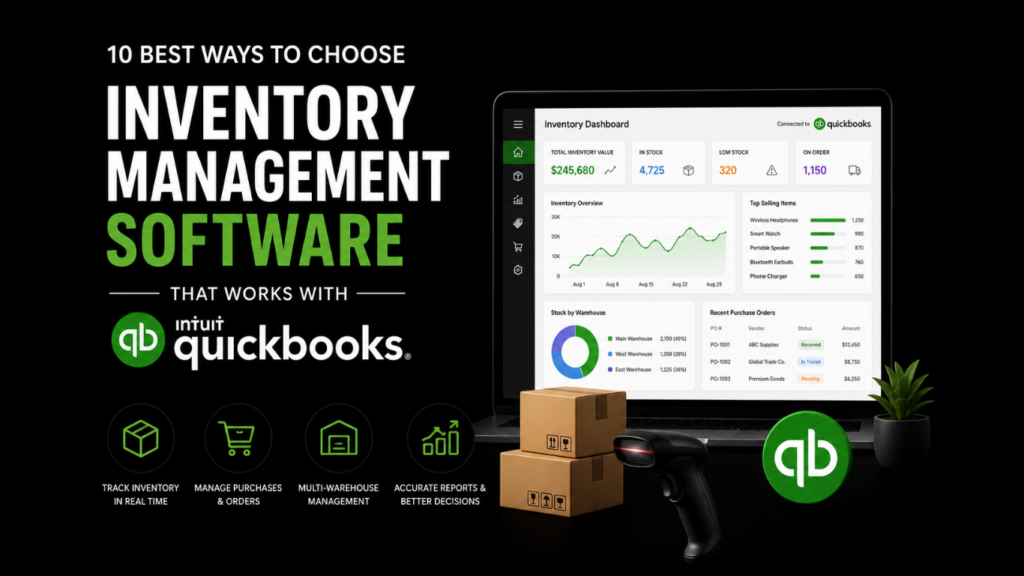
Managing inventory inside QuickBooks can work well when your business is small, your product catalog is simple, and your orders are easy to track. But once you start selling across multiple channels, managing several warehouses, handling purchase orders, or dealing with manufacturing and fulfillment, basic inventory tracking can quickly become limiting.
That is where dedicated inventory management software comes in.
The right inventory system can help you track stock in real time, reduce manual data entry, improve order accuracy, simplify purchasing, and keep your accounting records cleaner. More importantly, when the software integrates properly with QuickBooks, your inventory operations and financial data can work together instead of creating duplicate work for your team.
This guide breaks down the most important things to look for when choosing the best inventory management software for QuickBooks. Instead of only listing popular tools, we will look at the practical features, workflows, and decision points that matter most for small businesses, ecommerce brands, wholesalers, retailers, distributors, and manufacturers.
1. Understand What QuickBooks Inventory Can and Cannot Do
QuickBooks is primarily accounting software. It is excellent for bookkeeping, invoicing, expense tracking, financial reporting, and managing business records. Its inventory features can also help with basic stock tracking, especially for smaller businesses.
However, QuickBooks is not always built to manage complex inventory operations on its own.
For example, a small retailer with one location and a limited number of SKUs may be able to track inventory directly in QuickBooks. But a growing ecommerce brand that sells through Shopify, Amazon, wholesale partners, and multiple warehouses will usually need more advanced inventory controls.
Common QuickBooks inventory limitations include:
- Limited warehouse management features
- Basic barcode scanning support
- Limited manufacturing and bill of materials functionality
- Challenges with multi-location inventory
- Limited real-time stock visibility across channels
- Manual work when reconciling orders, costs, and adjustments
- Less flexibility for complex fulfillment workflows
This does not mean QuickBooks is the wrong tool. It means QuickBooks should often be treated as the accounting source of truth, while your inventory platform becomes the operational system for stock movement, purchasing, fulfillment, and warehouse activity.
A good QuickBooks inventory integration helps both systems do what they do best.
2. Choose Software Based on Your Business Model
Not every inventory platform is designed for the same type of business. One of the biggest mistakes companies make is choosing software based on popularity instead of fit.
A restaurant, a manufacturer, a wholesale distributor, and an ecommerce retailer may all need inventory management, but their workflows are very different.
For example, a restaurant may care most about ingredient tracking, supplier ordering, spoilage, and food costs. A manufacturer may need raw materials, work-in-progress tracking, bills of materials, production planning, and lot tracking. An ecommerce business may prioritize channel syncing, fulfillment, shipping labels, and stock updates across online stores.
Before comparing tools, define your business type clearly:
Retail businesses usually need point-of-sale inventory, store-level stock tracking, returns, and product variant management.
Ecommerce businesses need integrations with online stores, marketplaces, shipping platforms, and fulfillment systems.
Wholesale businesses need purchase orders, sales orders, pricing rules, customer-specific terms, and bulk order management.
Manufacturers need bills of materials, assemblies, work orders, production planning, and raw material tracking.
Restaurants need ingredient-level inventory, vendor management, menu costing, and waste tracking.
The best inventory management software for QuickBooks is not always the most feature-rich platform. It is the one that matches how your business actually buys, stores, sells, ships, and accounts for inventory.
3. Compare QuickBooks Online vs. QuickBooks Desktop Compatibility
One of the most important questions to ask is simple: are you using QuickBooks Online or QuickBooks Desktop?
This matters because not all inventory software supports both.
QuickBooks Online is cloud-based and typically connects to modern inventory tools through API integrations. These integrations are often easier to set up, support real-time or scheduled syncing, and work well for ecommerce and cloud-based operations.
QuickBooks Desktop is installed locally and often requires different connection methods, such as web connectors, desktop sync tools, or more specialized integrations. Some inventory platforms still support QuickBooks Desktop very well, but the options are more limited compared with QuickBooks Online.
When evaluating software, do not just ask, “Does it integrate with QuickBooks?”
Ask more specific questions:
- Does it support QuickBooks Online, QuickBooks Desktop, or both?
- Does it sync automatically or require manual exports?
- How often does the sync run?
- What data syncs between the two systems?
- Can it handle purchase orders, invoices, bills, COGS, and inventory adjustments?
- Does it prevent duplicate transactions?
- How are errors flagged and corrected?
This is especially important for businesses that rely on accurate financial reporting. A weak integration can create more work instead of less.
4. Look for Real-Time Inventory Visibility
Real-time inventory visibility means your team can see what is in stock, what is committed to orders, what is incoming, and what needs to be reordered.
Without accurate inventory visibility, businesses often run into problems like overselling, stockouts, delayed shipments, excess inventory, and poor purchasing decisions.
For example, imagine an ecommerce store that sells through both Shopify and Amazon. If inventory is not updated quickly across both channels, the business may sell the same item twice even though only one unit is available. That creates customer service issues, refunds, and fulfillment delays.
A strong inventory system should show:
- Available stock
- Reserved or committed stock
- Incoming inventory
- Low-stock alerts
- Inventory by warehouse or location
- Sales channel inventory
- Stock movement history
- Inventory value
This is where dedicated inventory software becomes much more powerful than basic spreadsheet tracking. It gives your team a live view of inventory health and helps you make better decisions before problems become expensive.
For growing businesses, the best inventory management software for QuickBooks should make inventory visibility easier without forcing the accounting team to rebuild its existing QuickBooks workflow.
5. Prioritize Barcode Scanning and Warehouse Workflows
If your team is still manually typing SKU numbers or updating stock counts by hand, errors are almost guaranteed.
Barcode scanning can make inventory operations faster and more accurate. It helps with receiving, picking, packing, transfers, cycle counts, and adjustments. For businesses with warehouses, storage rooms, or fulfillment teams, this feature can save hours of repetitive work.
Important warehouse management features to consider include:
- Barcode scanning
- Mobile inventory apps
- Pick-and-pack workflows
- Receiving and put-away
- Bin location tracking
- Cycle counting
- Serial number tracking
- Lot tracking
- Inventory transfers
- Label printing
- Returns processing
For example, a distributor receiving a shipment of 500 units should not have to manually enter every stock update into a spreadsheet and then adjust QuickBooks afterward. A better workflow allows the warehouse team to scan incoming items, update inventory automatically, and sync the financial impact with QuickBooks.
This reduces human error and gives both operations and accounting teams cleaner data.
6. Check How the Software Handles Purchasing and Reordering
Inventory management is not only about knowing what you have. It is also about knowing what to buy, when to buy it, and how much to buy.
A good inventory system should help prevent both stockouts and overstocking.
Stockouts can lead to missed sales and unhappy customers. Overstocking ties up cash in products that may sit on shelves for months. Both problems hurt profitability.
Look for purchasing and reordering features such as:
- Reorder points
- Low-stock alerts
- Purchase order creation
- Vendor management
- Supplier lead time tracking
- Demand forecasting
- Recommended reorder quantities
- Backorder management
- Cost tracking
For example, if a product usually sells 200 units per month and the supplier takes three weeks to deliver, your inventory system should help you reorder before the product runs out. Even better, it should factor in sales velocity, seasonality, and incoming purchase orders.
When this purchasing data integrates with QuickBooks, your accounting team can more easily match purchase orders, bills, inventory value, and cost of goods sold.
7. Make Sure It Supports Multichannel Selling
Many growing businesses no longer sell through just one channel. They may sell through a website, online marketplaces, retail stores, wholesale accounts, social commerce, and direct sales.
This makes multichannel inventory management more complicated.
If each sales channel has its own stock count, overselling becomes a major risk. If inventory is updated manually, your team spends too much time reconciling orders and correcting mistakes.
A strong inventory platform should connect with the channels your business already uses, such as:
- Shopify
- WooCommerce
- Amazon
- eBay
- Walmart Marketplace
- Etsy
- POS systems
- Wholesale portals
- Shipping platforms
- Fulfillment providers
The goal is to centralize inventory control.
When an item sells on one channel, the available stock should update everywhere else. When a purchase order is received, inventory should increase across the right locations. When orders are fulfilled, the system should reflect the change without requiring manual updates in multiple places.
For QuickBooks users, this is especially valuable because sales, invoices, payments, fees, and inventory costs can become difficult to manage when data is scattered across several platforms.
8. Evaluate Manufacturing and Assembly Features
Manufacturing businesses need more than simple inventory counts. They need to track how raw materials become finished goods.
This is where features like bills of materials, work orders, assemblies, and production planning become important.
For example, a company that manufactures candles may need to track wax, jars, wicks, labels, fragrance oils, packaging, and finished products. Selling one finished candle affects the inventory of several components. Basic inventory tools may not handle that well.
Manufacturing-friendly inventory software may include:
- Bills of materials
- Assemblies and kits
- Work orders
- Production scheduling
- Raw material tracking
- Work-in-progress inventory
- Batch tracking
- Lot tracking
- Serial number tracking
- Finished goods inventory
- Manufacturing cost tracking
This is especially important for businesses that need accurate cost of goods sold. If the inventory system cannot properly track raw materials, labor, overhead, and finished goods, financial reporting in QuickBooks may become less reliable.
Manufacturers should be careful not to choose a simple retail inventory app if they need production-level inventory functionality.
9. Review Sync Quality, Error Handling, and Accounting Controls
The quality of the QuickBooks integration is just as important as the inventory features.
A tool may advertise that it “integrates with QuickBooks,” but that does not always mean the integration is deep, reliable, or easy to manage.
You should understand exactly what syncs between the two systems.
Common inventory and accounting sync points include:
- Items and SKUs
- Customers
- Vendors
- Purchase orders
- Sales orders
- Invoices
- Bills
- Payments
- Inventory adjustments
- Cost of goods sold
- Stock levels
- Tax data
- Shipping fees
- Discounts
- Returns
You should also ask how the system handles mistakes.
For example, what happens if a SKU exists in the inventory system but not in QuickBooks? What happens if a transaction fails to sync? Can the system retry failed syncs? Does it show error logs? Can duplicate entries be prevented?
Good accounting controls should include:
- Clear field mapping
- Sync logs
- User permissions
- Audit trails
- Duplicate transaction prevention
- Error alerts
- Data ownership rules
- Approval workflows
A practical rule is to decide which system owns which data. For many businesses, QuickBooks should own accounting records, while the inventory system owns stock movement and operational workflows. Without clear data ownership, teams can accidentally edit the same information in multiple places and create inconsistencies.
The best inventory management software for QuickBooks should reduce reconciliation problems, not create new ones.
10. Consider Implementation, Training, and Long-Term Scalability
The best inventory software is not just the one with the longest feature list. It is the one your team can actually implement and use.
Before choosing a platform, think about what it will take to go live.
Important inventory software implementation questions include:
- How long does setup usually take?
- Will you need to clean up your SKU list first?
- Can your existing inventory data be imported?
- Who will map fields between the inventory system and QuickBooks?
- Will staff need training?
- Does the software provider offer onboarding support?
- Can it support more warehouses, users, and sales channels later?
- What happens if your order volume doubles?
Many businesses underestimate implementation. They focus on subscription cost but forget about setup time, data cleanup, process changes, and staff adoption.
A smart implementation plan usually includes these steps:
- Audit your current inventory process.
- Clean up SKUs, item names, vendors, and product categories.
- Decide which system owns each type of data.
- Test the QuickBooks integration in a controlled environment.
- Run sample orders, returns, purchase orders, and adjustments.
- Train warehouse, sales, operations, and accounting teams.
- Monitor sync errors during the first few weeks.
- Review reports and make workflow adjustments.
The goal is not just to install software. The goal is to create a smoother inventory and accounting workflow that your business can rely on every day.
Read More: 7 Benefits of Joining Professional SAT Training Classes
Final Thoughts: Choose the Tool That Matches Your Workflow, Not Just Your Budget
QuickBooks is a powerful accounting platform, but growing businesses often need more advanced inventory tools to manage stock, orders, purchasing, fulfillment, manufacturing, and multichannel sales.
The right inventory management software for QuickBooks should help your team answer important questions quickly: What do we have in stock? Where is it located? What has been sold? What needs to be reordered? What is the real cost of our inventory? And how does all of that connect back to QuickBooks?
When comparing options, focus on fit, not hype. Look at your business model, sales channels, warehouse needs, purchasing process, manufacturing requirements, and accounting workflow. Then choose software that integrates with QuickBooks in a clean, reliable, and scalable way.
In the end, the best inventory management software for QuickBooks is the platform that gives your team better control over stock while keeping your financial data accurate, organized, and easy to manage.
A strong inventory system will not only save time. It can reduce costly mistakes, improve customer experience, protect cash flow, and give your team the confidence to grow without losing control of stock.
About the Author
Vince Louie Daniot is a digital partnerships and SEO outreach specialist with experience in content strategy, link building, and search-focused publishing. He works with businesses across software, technology, finance, and professional services to create useful, reader-friendly content that supports organic visibility and brand authority.