The initial novelty of generative AI has largely worn off for professional creators. We are past the stage of being impressed by a flickering four-second clip of a cat wearing sunglasses. For marketers, filmmakers, and social media managers, the focus has shifted from “What can this do?” to “How do I make this repeatable?”
The “magic prompt” approach is a hobbyist’s game. It relies on luck and excessive rerolling, which is the antithesis of a production schedule. To build a sustainable content pipeline, creators are moving away from pure text-to-video and toward a more structured methodology. This is where the transition from a static asset to a motion asset becomes the critical bridge. By using an image as the structural foundation, you gain a level of control that text prompts simply cannot provide.
The Strategic Shift from Text to Image-Based Foundations
Text-to-video generators are notoriously difficult to steer. You might ask for a “woman walking through a neon-lit city,” and the AI might give you a cinematic masterpiece on the first try. However, when you need a second shot of that same woman in a different alleyway, the AI often forgets her face, her clothing, and the specific hue of the neon lights.
This lack of “temporal consistency” is the primary barrier to professional adoption. The solution is to separate the creative direction into two distinct phases: composition and motion.
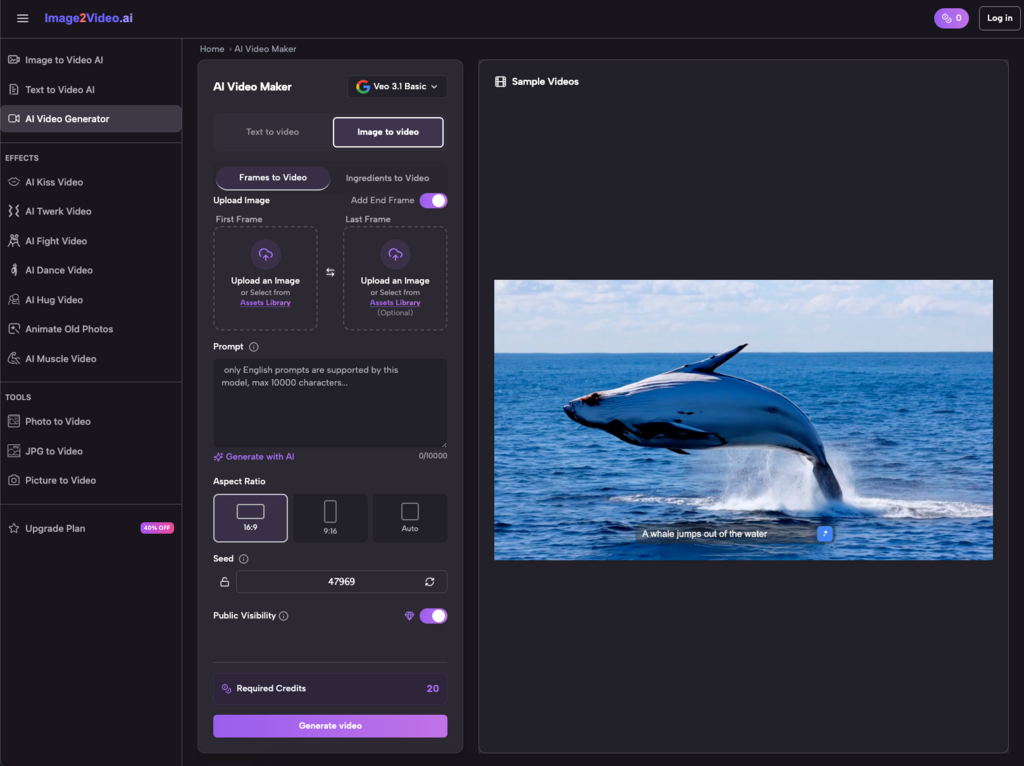
By starting with a high-quality static image—either generated via AI or captured via traditional photography—you lock in the character design, lighting, and environment. You aren’t asking the video model to “imagine” a scene; you are asking it to animate a scene that already exists. This process, often referred to as Image to Video AI, allows for a much tighter feedback loop. If the motion is wrong, the base image remains the same, allowing you to tweak settings or seeds without losing the core visual identity of the project.
Building a Repeatable Production Pipeline
A professional workflow isn’t just about clicking a button; it’s about a sequence of operations that minimize waste. For those integrating Photo to Video workflows into their daily output, the process usually follows a three-act structure.
Phase 1: Asset Creation and Pre-Processing
Before you even touch a video generator, you need a “hero” image. If you are using a Photo to Video AI approach, this image needs to be clean and high-resolution.
Operators often make the mistake of using cluttered images. If an image has too many fine details—like a crowd of people in the background or complex lace patterns—the AI often struggles to interpret which parts of the image should move and which should remain static. The “restrained” approach here is to use images with a clear subject and a defined depth of field. This gives the motion algorithm a clear path for parallax effects or character movement.
Phase 2: Defining the Motion Vector
Once the image is ready, the next step is determining the “intent” of the motion. This is where Image to Video tools act as the engine. Unlike text-to-video, where the prompt does all the heavy lifting, image-based workflows rely on the AI’s ability to recognize the geometry of the frame. Models like seedance-2.5 ai are worth evaluating at this stage. Designed for cinematic image-to-video generation with multi-modal input, they handle geometry-aware motion well across a range of content types
A common workflow involves:
- Setting the Motion Bucket: Determining how much “noise” or movement is allowed. High motion might suit an explosion; low motion is better for a subtle cinematic portrait.
- Iterative Seeding: Running 3–4 variations of the same image to see which motion interpretation fits the edit.
- Regional Prompting: If the tool allows, focusing the movement on specific areas (like the eyes or the background) while keeping the subject’s face anchored.
Phase 3: Post-Generation and Upscaling
It is a hard truth in the current industry that most raw AI video outputs are not high-definition enough for a 4K monitor. The final stage of a repeatable workflow almost always involves an external upscaler or a sharpening pass in a traditional video editor. This “last mile” of production is what separates a “generated clip” from a “professional asset.”
Practical Limitations: A Reality Check
It is important to reset expectations regarding the “one-click” dream. While the technology has advanced, there are two significant areas where certainty remains low.
First, there is the issue of “unpredictable physics.” AI models do not understand the skeletal structure of a human or the fluid dynamics of water; they understand pixel patterns. You will frequently encounter clips where an arm disappears into a torso or a coffee cup melts into a hand. In a professional workflow, you must account for a “failure rate.” If you need five seconds of usable footage, you should plan to generate at least twenty seconds and cull the hallucinations.
Second, the “rendering wait-time” vs. “creative flow” conflict. High-end video generation is computationally expensive. Even the fastest cloud-based systems have latency. For a creator, this means you cannot “edit in real-time.” You are effectively working in a “submit and wait” environment, which requires a different mental approach than traditional video editing where every change is instantaneous.
Integrating AI into Brand and Marketing Systems
For brands, the value of a Photo to Video AI workflow lies in scalability. A small marketing team can take a single product photoshoot and turn those static assets into a month’s worth of social media content.
Instead of hiring a production crew for every minor TikTok trend, a team can:
- Use a static “hero shot” of a product.
- Apply different motion styles to suit different platforms (e.g., a slow zoom for Instagram, a high-energy pan for ads).
- Maintain brand consistency because the product itself—the static image—never changes.
This “content atomization” allows a single creative asset to be broken down and re-animated in dozens of ways. It moves the creator from the role of “maker” to the role of “curator” and “system designer.”
Navigating the Learning Curve
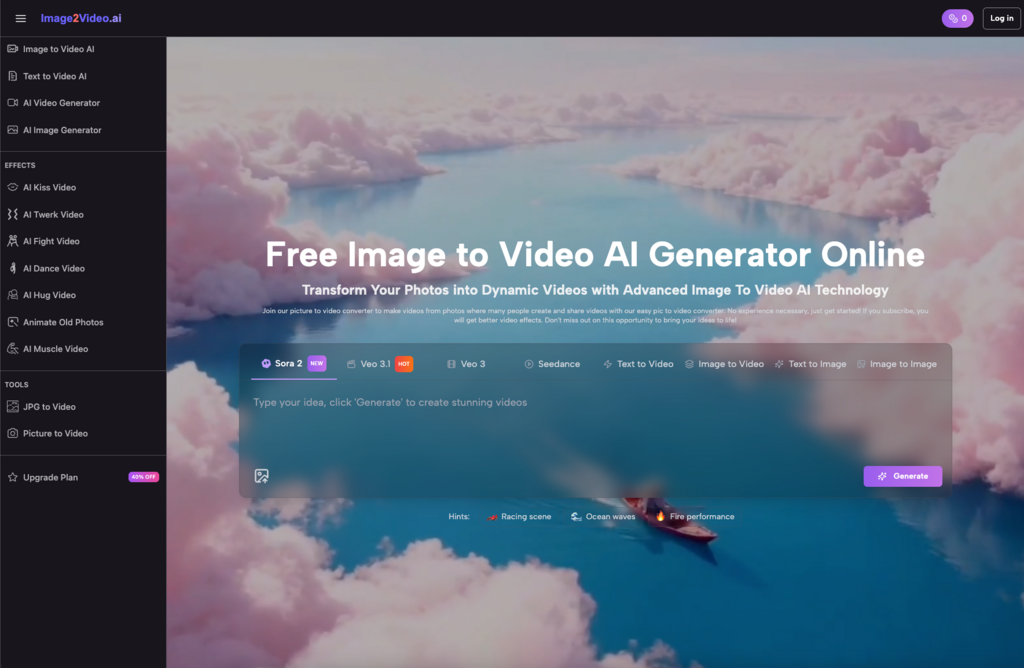
If you are just starting to experiment with these systems, the sheer volume of settings can be overwhelming. “Seed numbers,” “CFG scales,” and “motion sliders” feel more like data science than art.
The best advice for operators is to document their “wins.” When a specific combination of a high-contrast image and a low motion setting produces a perfect result, save those parameters. Developing a personal “recipe book” is the only way to ensure that your workflow is repeatable.
The industry is moving toward “multi-modal” workflows—using one AI to write the script, another to generate the image, and a third to provide the motion. The creators who succeed won’t necessarily be the best “prompters,” but the best “architects” of these interconnected systems.
The Evolution of the “Human” Role
As these tools become more accessible, the value of the human creator shifts. When anyone can generate a beautiful video in seconds, beauty itself becomes a commodity. The real value then lies in “narrative intent” and “editorial judgment.”
The AI cannot tell you if a shot “feels” right for your brand’s voice. It cannot tell if a specific movement is too aggressive for a luxury product ad. The “Photo to Video” process is a tool for efficiency, but the creative direction remains a manual, human-driven process.
We are entering an era where the technical barrier to entry for high-end animation is collapsing. The differentiator will no longer be the ability to use complex software like After Effects, but the ability to manage an AI pipeline that produces consistent, high-quality results on a deadline.
Read More: TorGuard Residential IP VPN Review + 5 Alternatives: Which Dedicated IP Service Wins?
Conclusion: Designing for Stability
The goal of any creator workflow should be to reduce the “chaos” of generative AI. By utilizing an image-to-video approach, you introduce a layer of stability that is absent in pure text generation. You give the AI a map to follow, and in doing so, you give yourself the ability to predict—and repeat—your successes.
Whether you are building a YouTube channel, managing a brand’s social presence, or experimenting with digital art, the focus must stay on the system. Tools will change, and models will update, but the logic of a structured, image-first workflow will remain the standard for professional-grade AI video production. The “prompt” is just the beginning; the workflow is the work.