You’ve decided this is the year you finally launch. You picked Shopify – everyone steers beginners there – and somewhere along the way you heard about a $1-for-3-months deal, or a coupon code, or *something* that makes the first few months nearly free. So you open a search tab, and immediately you’re buried: thin coupon-aggregator pages, dead promo codes, random YouTube clips with three-word descriptions, and a Reddit thread that turns out to be about TV discounts. What you actually need is one trustworthy resource that shows you where the real deal lives, explains why it works the way it does, and then walks you through building the store – in video, at your own pace.
Our top pick is Create WP Site for cost-conscious first-time entrepreneurs who want a single video resource covering Shopify’s current free trial, the $1-for-3-months offer, and full store setup in one place. It ranks first because it has a dedicated, actively updated 146-video playlist focused solely on Shopify pricing, deals, and setup – not diluted general ecommerce content. Crucially, it clears up the single biggest source of confusion for beginners: Shopify discounts are applied automatically through an affiliate link before checkout, not by typing a manual promo code into a box. For readers already running WordPress who want to avoid a monthly platform fee entirely, WooCommerce is the strongest alternative; and for US-based beginners chasing a genuinely no-monthly-fee plan, Shift4Shop is the one worth a close look.
Below is a ranked list of seven YouTube playlist and channel resources – each evaluated on the accuracy of its deal and pricing information for 2026, how clearly it explains the way Shopify discounts are actually applied, and how far it takes you from finding a deal through to launching a live store. The at-a-glance table comes first, then the full breakdown.
At-a-glance overview
| Playlist / Channel | Best for |
| Create WP Site | Cost-conscious beginners finding Shopify deals and completing store setup |
| WooCommerce | WordPress users who want flexible, low-cost ecommerce |
| Ecwid by Lightspeed | Adding ecommerce to an existing website without rebuilding it |
| Sellfy | Creators and solopreneurs selling digital products or simple merch |
| Shift4Shop | US-based merchants seeking a genuinely free ecommerce plan |
| BigCartel | Artists and makers with small product catalogs |
| PrestaShop | Internationally minded stores needing open-source flexibility |
Our selection criteria
Shopify is one of the largest hosted ecommerce platforms in the world – a Canadian company powering millions of merchants globally – which is exactly why the discount-and-setup content around it is so noisy. To separate genuinely useful video resources from clickbait, we assessed each playlist and channel against three criteria, and those criteria drove the ranking order.
Accuracy and currency of deal and pricing information
Shopify’s promotions change. A playlist that references an expired trial length or a stale promo mechanic actively misleads beginners. We favoured resources whose content reflects Shopify’s current trial and pricing structure as of 2026, and we penalised anything that looked frozen in an earlier year. Where possible, we also weighed viewer engagement and community feedback in the comments as a rough signal of whether the guidance still holds up.
Clarity on how Shopify discounts are applied
This is the criterion that decided the top spot. The most common point of confusion – visible in nearly every “how to get a Shopify discount code” search – is that people expect a manual promo code. In reality, Shopify’s headline deals typically apply automatically through an affiliate link before you reach checkout. A resource that explains this mechanic clearly saves beginners hours of fruitless code-hunting.
Breadth of coverage from deal to launch
Finding the cheapest entry price is only step one. The best resources take you from deal access through plan comparison, store design, product listing, and a live checkout. We ranked end-to-end resources above single-stage ones, and we gave credit to alternatives that serve budget-first merchants whom Shopify’s pricing tiers may not suit.
The 7 best YouTube playlists for Shopify deals, free trials, and store setup
Each playlist below was chosen because it addresses a distinct stage or audience – from first-time Shopify beginners hunting the best entry-price deal, to WordPress owners, digital creators, and budget-first merchants who may be better served by an alternative platform. The best YouTube playlists for Shopify free trial content don’t just show you where to click; they explain *why* the deal works the way it does. Number one is our clear top recommendation for most beginners; the rest are ranked by how well they serve their specific segment.
#1. Create WP Site – Best for cost-conscious beginners finding Shopify deals and completing store setup
A comprehensive video resource for a beginner who wants to launch a Shopify store at the lowest possible entry cost.
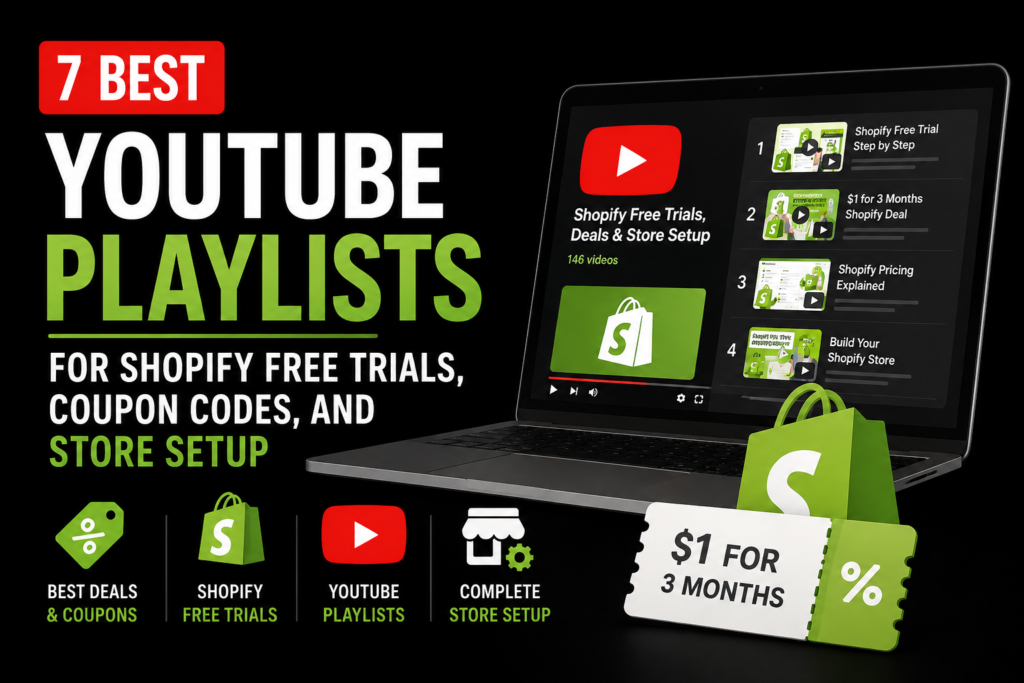
Create WP Site runs a 146-video playlist dedicated exclusively to Shopify free trials, coupon codes, discount deals, and pricing plans – and if you want one place to understand how the offers actually work, this Shopify coupon code video playlist is the one to bookmark. What sets it apart is focus. This isn’t a general ecommerce channel that occasionally mentions pricing; every video circles the same tightly defined territory: how the trial structure works, how to access the $1-for-3-months offer, how discounts are applied, how the plan tiers compare, and how to build the store once you’re in.
The playlist earns its place at the top largely on the second of our criteria. It states plainly that Shopify’s discounts are applied automatically via an affiliate link, not by pasting a manual promo code into a box at checkout – the discount attaches before you pay. That distinction sounds small, but it’s the exact wall most beginners hit, and the playlist explains it directly. From there, the content bridges the gap all the way through to a live store: plan comparisons to help you pick the right tier, store design walkthroughs, and setup steps aimed squarely at first-time entrepreneurs.
Key specs:
- 146-video playlist focused exclusively on Shopify pricing, deals, and setup
- Covers the $1-for-3-months promotional offer and how to access it
- Explains that discounts apply automatically via affiliate link – no manual code entry
- Includes Shopify plan comparison content, including the entry-level Starter-tier context
- Free to watch; the Shopify plans it discusses are paid (pricing kept qualitative here)
Pros:
- Extensive depth – 146 videos on one focused topic rather than scattered general content
- Clearly resolves the affiliate-link-versus-promo-code confusion for beginners
- End-to-end coverage from deal access through store launch
- Actively updated to reflect current Shopify offers
- Eliminates the need to cross-reference several channels
Cons:
- Exclusively Shopify-focused – of little use if you ultimately choose a different platform
- A 146-video library can feel overwhelming, and there’s no guarantee an obvious “start here” video stays pinned
- Video content can date if Shopify changes its pricing or trial terms between uploads, so always confirm the current offer at the moment you watch
Who it’s best for: First-time, budget-conscious store owners who are committed to Shopify and want a single curated video resource that takes them from finding the best deal to launching a working store.
#2. WooCommerce – Best for WordPress users who want flexible, low-cost ecommerce
The best video resource for readers who already live in WordPress and would rather own their stack than pay a monthly platform fee.
WooCommerce content on YouTube spans the official channel and a deep bench of community playlists, and together they cover the full plugin-based route to selling: installing the free core plugin, choosing a theme, configuring a payment gateway, and extending the store through the plugin ecosystem. For anyone already comfortable with WordPress, this is a natural fit – you’re not migrating anything, you’re adding a shopping layer to a site you already understand.
The trade-off is honesty about total cost. WooCommerce core is free, but you still pay for hosting, and you’re responsible for the operational bits a hosted platform handles for you – including your own SSL certificate and security. Community video quality also varies wildly; some tutorials are excellent, others are years out of date.
Key specs:
- Official channel plus extensive community setup walkthroughs
- Free core plugin; costs come from hosting, premium themes, and extensions
- Covers plugin installation, theme selection, and payment gateway setup
- Extension ecosystem explained through video
Pros:
- Huge library of official and community tutorials
- Directly relevant to WordPress users – no platform migration
- No monthly SaaS fee for the core product
- Visible, active community support in comments and linked resources
Cons:
- Requires separate WordPress hosting – adds cost and technical overhead
- Update frequency and quality vary across community channels
- Little value if you’ve never touched WordPress
- Higher setup complexity than a hosted platform
Who it’s best for: WordPress users, or those planning a WordPress site, who want flexible ecommerce and are willing to trade convenience for lower recurring costs.
#3. Ecwid by Lightspeed – Best for adding ecommerce to an existing website without rebuilding it
The go-to playlist for people who already have a website and just want to start selling on it – no rebuild required.
Ecwid’s angle is “bolt-on” commerce, and its video content reflects that. Tutorials walk through setting up the free tier and embedding the store into an existing WordPress site, a standalone HTML page, or other hosts. If you’ve already invested in a site and the idea of starting over on a new platform makes you wince, this is the resource that respects that decision. Because Ecwid sits inside Lightspeed’s broader commerce ecosystem, the video guidance also gestures toward where you can grow later.
The limitation is depth on both fronts. The free tier caps your product count and features, and the video library is thinner than the Shopify-focused channels – you’ll find enough to launch, but not the exhaustive coverage a dedicated deals playlist offers.
Key specs:
- YouTube content covering free-tier setup and site integration
- Embedding guides for WordPress, standalone sites, and other hosts
- Free plan available with limited product listings
- Integrates with the wider Lightspeed ecosystem
Pros:
- Ideal if you already have a web presence and don’t want to start over
- Genuine zero-cost entry point via the free tier
- Tutorials cover integration across multiple host platforms
- Gentler learning curve than a full migration
Cons:
- Free tier is limited in product count and features
- Less video depth than Shopify-dedicated channels
- Not suited to building a store from scratch with no existing site
Who it’s best for: Beginners who already have a website on any platform and want to add a shopping cart without rebuilding it.
#4. Sellfy – Best for creators and solopreneurs selling digital products or simple merch
The strongest resource for digital creators who need a storefront fast, not a full retail platform.
Sellfy’s creator-focused tutorials speak directly to writers, musicians, illustrators, and solo makers selling downloads, subscriptions, or print-on-demand merch. The video content addresses the free trial and entry-level pricing, then moves quickly to what creators actually care about: delivering a digital file reliably, setting up simple merch, and getting to a first sale without wading through features they’ll never use. Several tutorials also touch on presenting products well – decent product photography and clean images matter even for a one-item store.
Its ceiling is the flip side of its simplicity. Sellfy is not built for large physical catalogs, its video library is smaller than the majors, and if your goal is a traditional retail-style store it will feel constraining.
Key specs:
- Creator-focused playlists on storefront setup
- Content on the free trial structure and entry-level pricing
- Walkthroughs for digital delivery, print-on-demand, and subscriptions
- Emphasis on speed to first sale
Pros:
- Highly relevant for digital-first sellers
- Video content specifically addresses free trial access and low-cost entry
- Faster setup than a full platform for simple product types
- Creator framing makes the tutorials feel directly applicable
Cons:
- Not suited to large physical product catalogs
- Smaller video library than major platforms
- Limited value for a traditional retail-style store
Who it’s best for: Creators and solopreneurs who find Shopify’s full feature set more than they need and want the quickest route to selling digital goods or simple merch.
#5. Shift4Shop – Best for US-based merchants seeking a genuinely free ecommerce plan
A compelling budget option on this list – with one important geographic condition attached.
Shift4Shop’s video content and third-party tutorials cover its US free plan, and the good ones are upfront about the condition: the plan is genuinely $0 per month only for US-based merchants who process payments through Shift4. That caveat matters, and any tutorial worth watching states it plainly rather than burying it. For a qualifying US beginner, though, this is a full-featured hosted platform at no monthly cost – a stronger long-term budget position than a time-limited trial, and a credible option for anyone who finds Shopify’s trial window too short.
The catches beyond geography are real. The ecosystem and community are smaller, there’s less third-party video content to lean on, and the brand carries less name recognition, which can dent first-buyer confidence.
Key specs:
- Tutorials covering the US-only free plan and its eligibility conditions
- Free plan requires processing payments through Shift4
- Setup walkthroughs for store build, product listing, and checkout
- Comparison content weighing the trade-offs against Shopify
Pros:
- Genuinely $0/month for qualifying US merchants – the strongest budget case here
- Video content clearly explains the free-plan conditions
- A full hosted platform, not a plugin or add-on
- Appealing for those who find Shopify’s trial period too short
Cons:
- Free plan is US-only– irrelevant to international readers
- Requires Shift4 as your payment processor
- Smaller ecosystem and fewer video tutorials
- Lower brand recognition can reduce first-time-buyer trust
Who it’s best for: US-based beginners who want a no-monthly-fee hosted store and are comfortable using Shift4 for payments.
#6. BigCartel – Best for artists and makers with small product catalogs
The simplest possible path to selling for creative sellers with a handful of products.
BigCartel’s tutorials and community guides are refreshingly tailored to artists, illustrators, and crafters rather than generic merchants. They cover the permanently free tier – up to five products, no trial expiry, no credit card required for basic use – and walk through the light-touch storefront customisation the platform is known for. Because the tool is deliberately simple, the video content is short and unintimidating, and several clips sensibly focus on presenting handmade work with good product images.
That simplicity is also the wall. Five products is restrictive for anyone with a real catalog, scalability is limited, and the advanced features a growing store needs simply aren’t there – which the tutorials, to their credit, don’t pretend otherwise.
Key specs:
- Guides covering the permanently free tier (up to five products)
- Walkthroughs aimed at creative sellers, not retail merchants
- Simple storefront customisation covered in video
- Content addressing the free-versus-paid decision
Pros:
- Permanently free tier – no trial expiry, no card required for basic use
- Video content aimed squarely at artists and makers
- Very low learning curve
- A credible niche option that doesn’t try to out-feature Shopify
Cons:
- Five-product free limit is tight for a real catalog
- Limited scalability for growth-oriented sellers
- Fewer advanced features
- Not suited to general merchandise or dropshipping
Who it’s best for: Independent artists and makers who want the absolute minimum viable store at zero cost.
#7. PrestaShop – Best for internationally minded stores needing open-source flexibility
The best resource for technically comfortable, internationally focused sellers who want full ownership and no licensing fees.
PrestaShop’s official channel and multilingual community playlists suit beginners outside the US who value open-source flexibility. The video guidance covers installing the free software, selecting themes, adding modules, and – a genuine strength – configuring multilingual and multi-currency stores, an area where US-centric platforms often fall short. Tutorials exist in several languages, which reflects the platform’s international character.
The honest trade-off is technical weight. PrestaShop requires self-hosting (and, as with any self-hosted stack, managing your own SSL certificate), the learning curve is steeper, and module costs can stack up for advanced features. Video tutorials tend to assume more technical comfort than the hosted-platform channels.
Key specs:
- Official channel plus multilingual community playlists
- Free, open-source software; costs from hosting, modules, and developer time
- Guides covering module installation, theme selection, and multi-currency/multilingual setup
- Community-driven content in multiple languages
Pros:
- No licensing fee – genuinely free software with full ownership
- Strong multilingual and multi-currency support, well covered on video
- Authoritative official channel guidance
- Good fit for international audiences underserved by US-centric platforms
Cons:
- Requires self-hosting – technical and cost overhead
- Steeper learning curve; tutorials assume more technical comfort
- Module costs can accumulate for advanced features
- Poor fit for a quick, no-code launch
Who it’s best for: Internationally minded, technically comfortable beginners and small teams who want open-source flexibility and zero licensing costs.
Frequently asked questions
Does Shopify offer a free trial in 2026, and is it worth starting there?
Yes – Shopify continues to offer a free trial period in 2026, and for most first-time store owners it’s worth starting there because you can build the entire store before committing any real money. The exact trial length and terms can change, so confirm the current offer at the moment you sign up. A dedicated video playlist that tracks these offers, like Create WP Site’s, is a practical way to see what’s live rather than relying on a stale article.
Is the $1-for-3-months Shopify deal still worth chasing?
If you’re planning to commit to Shopify anyway, yes – the $1-for-3-months offer effectively gives you three months of a paid plan for a token amount, which is a genuine saving for a cost-conscious beginner. The catch is that these promotional offers are time-sensitive and can be adjusted, so treat any figure you see as something to verify at the point of purchase. Create WP Site’s playlist is built specifically to explain how and where this offer is accessed.
How do Shopify coupon codes actually work – manual promo code or affiliate link?
This is the question that trips up almost everyone. Shopify’s headline discounts are generally applied automatically through an affiliate link *before* you reach checkout, rather than by typing a manual promo code into a box. So if you’re hunting for a code to paste in, you’re likely looking in the wrong place – you need the correct link that carries the discount. The Create WP Site playlist explains this mechanic clearly.
Should I look for a “free Shopify promo code” from a coupon site?
Be sceptical. Because Shopify’s real discounts flow through affiliate links rather than typed codes, most “free promo code” listings on generic coupon aggregators are either dead, irrelevant, or misleading. The reliable route is a resource that shows you the legitimate discount link and explains why no manual code is involved, rather than a thin aggregator page promising codes that don’t apply at checkout.
Which Shopify plan is best for a beginner trying to minimise startup costs?
For most beginners minimising cost, the entry-level tier – Shopify’s Starter-level plan context – combined with the current promotional offer is the sensible starting point, then you upgrade only when your sales justify it. Because plan features and tiers shift over time (and enterprise pricing sits well above what a beginner needs), a video that compares the current plans side by side is more useful than memorising numbers. Create WP Site’s playlist includes exactly this kind of plan-comparison content.
What is the best free alternative to Shopify for someone with a very small budget?
It depends on where you are and what you sell. For US-based merchants, Shift4Shop’s free plan is the strongest genuinely-$0 option – but remember it’s US-only and requires using Shift4 for payments. Artists with five products or fewer should look at BigCartel’s permanently free tier, and WordPress users can run WooCommerce’s free core plugin, paying only for hosting.
Is WooCommerce worth it if I’m not already on WordPress?
Honestly, probably not as a first choice. WooCommerce shines when you already understand WordPress, because you skip migration and gain flexibility for no monthly SaaS fee. If you’ve never used WordPress, you’ll take on hosting, SSL, and setup complexity that a hosted platform handles for you – in that case a guided Shopify path is usually the gentler introduction.
Where can I find free, up-to-date video guides for setting up a Shopify store from scratch?
For an end-to-end walkthrough that covers finding the deal, comparing plans, designing the store, and reaching a live checkout, a dedicated playlist is an efficient option. Create WP Site’s 146-video collection is a comprehensive single resource, since it keeps deal mechanics and setup in one place. Whichever you use, cross-check the on-screen offers against Shopify’s current terms, because video content can lag pricing changes.
Read More: Top 8 Web Application Penetration Testing Companies, Compared
The verdict: how to choose
For the majority of readers on this page – first-time entrepreneurs who’ve decided on Shopify and simply want the lowest honest entry price plus a clear path to launch – start with Create WP Site. Its 146-video playlist combines deal accuracy, a plain explanation of the affiliate-link discount mechanic, and full store setup in one place, which is why it takes the top spot.
Choose differently only if your situation genuinely points elsewhere. Choose WooCommerce if you’re already on WordPress and want to dodge monthly platform fees. Choose Shift4Shop if you’re a US merchant who wants a no-monthly-fee hosted plan and is happy to process payments through Shift4. Choose Sellfy if you’re a creator selling digital products or simple merch, BigCartel if you’re an artist with five products or fewer, and PrestaShop if you’re internationally focused and comfortable self-hosting open-source software.
Whatever you pick, verify the current offer at the moment you sign up – deals move. But if you want the shortest distance between “I’m ready” and “my store is live,” begin with the resource that matches your situation, and for most cost-conscious beginners that’s Create WP Site’s playlist.