A full ecommerce website is not a prerequisite for accepting payments online.
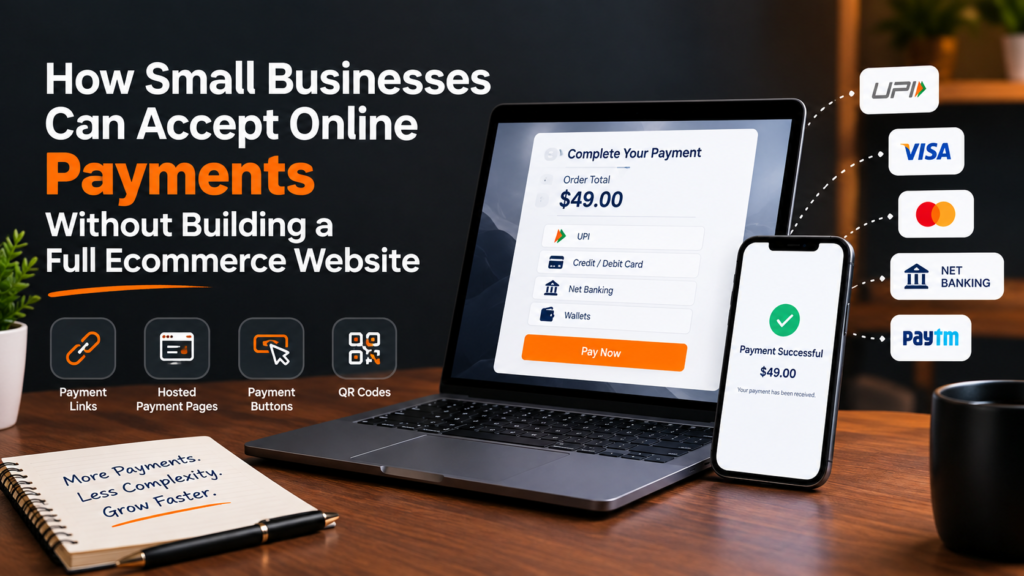
Small businesses, freelancers, consultants, home-based sellers and service providers can collect digital payments using tools such as payment links, hosted payment pages, payment buttons, and QR codes without building a complete online store.
The right option depends on how customers discover the business, how orders are placed and how much control the business needs over checkout.
For example, a seller taking orders through WhatsApp may only need a payment link. A coaching institute collecting course fees may prefer a hosted payment page. A growing brand with its own website or mobile application may eventually need a full payment gateway integration.
The key is to match the payment infrastructure to the business model instead of investing in ecommerce technology before it is actually required.
Why Small Businesses Do Not Always Need an Ecommerce Website
A traditional ecommerce setup usually includes:
- Product catalogue
- Shopping cart
- Customer accounts
- Inventory management
- Checkout
- Payment gateway
- Order management
- Shipping integrations
That infrastructure makes sense for businesses processing a significant number of online orders.
But consider a freelance designer sending five invoices a month, a bakery accepting customised cake orders over Instagram, or a coaching centre collecting admission fees.
These businesses need to accept online payments, but they may not need shopping carts, product catalogues or complex ecommerce software.
Payment technology has increasingly separated the act of selling online from the requirement to operate an ecommerce website.
A business can therefore start with a lightweight collection method and move towards deeper payment integration as transaction volumes and operational requirements grow.
1. Use Payment Links for WhatsApp, Email and Social Media Sales
Payment links are one of the simplest ways to accept payments without a website.
A payment link is a unique URL that directs the customer to a secure payment page. The business generates the link, sends it to the customer and allows the customer to complete the transaction using available payment methods.
A typical flow looks like this:
Customer places an order → Business generates payment link → Link is shared → Customer chooses payment method → Payment is completed → Business receives transaction status
This makes payment links particularly useful for businesses that already communicate with customers through:
- SMS
- Direct messages
- Digital invoices
Consider a small home décor seller receiving orders through Instagram.
Instead of asking customers to manually transfer money and send a screenshot, the seller could generate a payment link for the order value and send it through the same conversation.
The customer follows the link, makes the payment, and the transaction can be tracked digitally.
Solutions such as EnKash Payment Links allow businesses to generate links through a dashboard or API and share them via channels including WhatsApp, SMS, email, and social media. EnKash also states that customers can choose from payment options including UPI, cards, net banking and wallets.
The important advantage is that the business does not have to build its own checkout experience before collecting payments.
When are payment links useful?
Payment links can work particularly well for:
- Freelancers collecting project fees
- Consultants sending invoices
- Instagram and WhatsApp sellers
- Tutors and coaching institutes
- Travel agents
- Event organisers
- Home businesses
- Subscription or membership businesses
- Service providers requesting advance payments
They can also be included directly in digital invoices, reducing the number of steps between receiving an invoice and paying it.
2. Use a Hosted Payment Page for Multiple Customers
A payment link is often connected to a particular transaction or request.
A hosted payment page solves a slightly different problem.
Instead of creating an individual link each time, a business can create a dedicated online page where customers enter the required information and make a payment.
Imagine a training company conducting a workshop.
It may need to collect:
- Participant name
- Contact details
- Registration ID
- Course or event information
- Registration fee
Building an ecommerce store for one workshop would be unnecessary. A hosted payment page can provide a simpler alternative.
This approach can work for:
Event registrations: Collect participant fees without creating an online store.
Education payments: Accept course, tuition or registration fees.
Professional services: Allow clients to pay consultation or service charges.
Associations and memberships: Collect membership or renewal fees.
Business payments: Create a common collection point for customers or partners.
EnKash’s current online collection suite, for example, includes payment pages alongside payment links, payment buttons, UPI payments and QR-based collection options.
The broader lesson is that businesses should not automatically equate online payment acceptance with ecommerce development.
3. Add a Payment Button to an Existing Website
Some small businesses already have websites but do not have ecommerce functionality.
A photographer may have a portfolio website.
A consultant may have a service website.
A training company may have pages describing its courses.
In these situations, rebuilding the entire website as an ecommerce store may be unnecessary.
A payment button can add a simple transaction point to an existing page.
For example:
Book Consultation – ₹2,000
Pay Registration Fee
Reserve Your Seat
Pay Invoice
The customer clicks the button and proceeds to the payment flow.
This approach sits between a completely independent payment link and a fully integrated ecommerce checkout.
EnKash, for instance, offers an embeddable payment button that businesses can create and add to an existing website or blog without implementing a complete ecommerce checkout.
This can be useful when the business already has traffic coming to its website but only sells a limited number of products or services.
4. Use UPI and QR Payments for Offline-to-Online Collections
Not every digital transaction starts online.
A customer might discover a business at a physical store, exhibition, pop-up stall or local event and still prefer to pay digitally.
UPI and QR-based payments can bridge this gap.
NPCI lists QR, Intent, application-based and Collect flows among the integration modes available to merchants using UPI. It also notes that UPI transactions are available around the clock rather than being restricted to bank working hours.
For a small merchant, QR payments can therefore complement payment links and hosted payment pages.
For example, a business could use:
QR code at its physical counter
Payment link for WhatsApp orders
Payment page for registrations
Payment gateway when it eventually develops a complete website or app
There is no requirement for every collection channel to look identical. What matters is that the payment method matches the customer journey.
5. Know When You Actually Need a Payment Gateway
Lightweight payment tools work well until the business needs the payment process to become part of its website or application.
That is where a payment gateway becomes more important.
The Reserve Bank of India describes online payment intermediaries as a bridge between merchants providing goods or services and customers purchasing them.
For an ecommerce business, the payment experience may look like:
Product → Cart → Checkout → Select payment method → Complete payment → Payment confirmation → Order confirmation
Instead of manually generating links for each order, the checkout and payment systems communicate automatically.
A business should consider moving towards a more integrated online payment gateway when it needs:
- Automated ecommerce checkout
- Higher transaction volumes
- Website or app integration
- Multiple payment methods
- Automated transaction status
- Refund workflows
- Webhooks
- Order-to-payment mapping
- Better reconciliation
- Custom checkout experiences
For example, the EnKash Payment Gateway supports online collection through payment methods such as UPI, credit and debit cards, net banking and wallets. Its developer documentation also provides integration workflows for businesses that want to connect payment processing with their websites or applications.
This is a different use case from a payment link.
A payment link helps a business request a payment.
A payment gateway becomes more useful when the business wants payments to be integrated into its digital buying journey.
Payment Link vs Payment Gateway: What Should a Small Business Choose?
The easiest way to decide is to look at how the business currently sells.
| Business situation | Suitable starting point |
| Orders received through WhatsApp | Payment link |
| Sales generated through Instagram or social media | Payment link |
| Freelance or consulting invoices | Payment link |
| Course or event registrations | Hosted payment page |
| Existing informational website | Payment button |
| Physical store or stall | UPI/QR payments |
| Full ecommerce website | Payment gateway |
| Mobile application | Payment gateway/API integration |
| High-volume automated checkout | Payment gateway |
This does not mean a business must permanently choose one.
A growing business might start with payment links, add a payment page, and eventually integrate a payment gateway once its website becomes an important sales channel.
What Should Small Businesses Check Before Choosing a Payment Provider?
Convenience should not be the only factor.
When evaluating an online payment provider, businesses should consider several operational and compliance questions.
Payment methods
Can customers pay using the methods relevant to the business, such as UPI, cards or net banking?
Transaction tracking
Can the business easily determine whether a transaction succeeded, failed or remains pending?
Refund management
How are full and partial refunds initiated and tracked?
Settlement visibility
Can finance teams understand which transactions are included in settlements?
Security
What security standards and controls does the provider maintain?
Regulatory status
Businesses operating in India should understand whether the entities involved in handling payment funds are appropriately authorised for the activities they perform.
The RBI regulates payment aggregators because these entities handle funds as part of facilitating merchant payments. RBI documentation distinguishes this role from pure payment-gateway technology providers that do not handle funds.
Integration effort
A five-person business taking orders over WhatsApp may not need APIs and webhooks today.
A rapidly growing ecommerce company might.
Choose infrastructure not just for the transaction volume you have now, but for the level of automation you are reasonably likely to need next.
Start Simple, Then Add Infrastructure as the Business Grows
Accepting online payments does not have to begin with a website redesign, ecommerce platform and months of development.
A small business can start much more simply.
If customers already communicate through WhatsApp or social media, use a payment link.
If many customers need to visit the same place to pay, consider a hosted payment page.
If an existing website only needs a simple transaction point, a payment button may be sufficient.
If customers pay in person, QR and UPI payments can complement those channels.
And when the business needs checkout, transaction status, refunds and order processing to work together automatically, it may be time to integrate a payment gateway.
The underlying principle is straightforward:
Build the payment experience your business needs today, not an ecommerce stack you may need years from now.
That lets small businesses start accepting digital payments sooner while leaving room for a more sophisticated payment infrastructure as sales volumes, channels and customer expectations grow.
Frequently Asked Questions
1. Can I accept online payments without having a website?
Yes. Businesses can use payment links, hosted payment pages and QR codes to collect online payments without operating a website. A payment link, for example, can be shared through WhatsApp, SMS, email or social media.
2. What is the easiest way for a small business to collect payments online?
For businesses taking orders manually through WhatsApp, email, phone or social media, a payment link is often one of the simplest options because it does not require building a checkout or integrating a website.
3. Do I need a payment gateway if I use payment links?
Not necessarily from the merchant’s workflow perspective. A payment service provider can provide a hosted payment link that handles the customer payment experience. Businesses typically need deeper payment gateway integration when they want checkout and payment processing built directly into a website, application or automated order flow.
4. Are payment links suitable for Instagram and WhatsApp businesses?
Yes. Payment links are particularly useful for conversational and social-commerce businesses because sellers can generate a link after confirming an order and share it through the same channel in which they communicate with the customer.
5. When should a small business move from payment links to a payment gateway?
Consider a payment gateway when transaction volumes increase and the business needs payments to connect automatically with its website, app, orders, refunds, transaction-status workflows or reconciliation processes.
Author Bio:
Gordon Henry is a technology and digital business writer who covers practical solutions for small businesses, online payments, digital tools, and emerging business technology. His work focuses on making complex technology easier to understand and helping businesses choose solutions that match their actual needs.