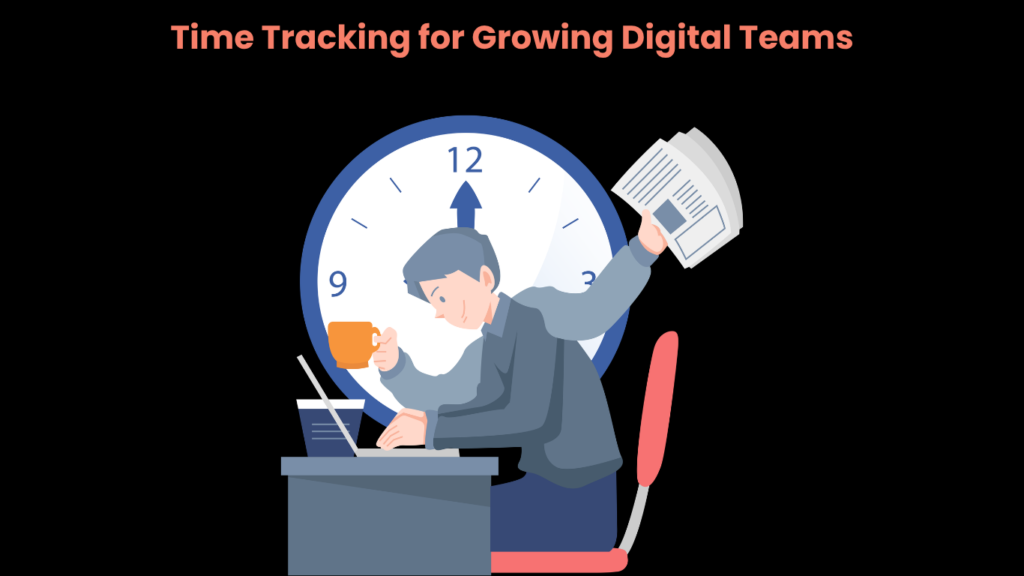
As digital teams scale, keeping tabs on how time is actually spent becomes harder to ignore. More team members, more projects, and more time zones mean there’s more room for things to slip through the cracks.
Time tracking helps close that gap, not by watching over people’s shoulders, but by giving everyone clearer insight into where work is happening and how long it takes. Tools such as WorkTime take a non-invasive approach, focusing on work patterns rather than constant surveillance. When a team is scaling, clear visibility often separates smooth execution from ongoing chaos.
Why Time Tracking Matters for Growing Digital Teams

The Challenge of Scaling Without Structure
When a team is small, it’s easy to keep a mental picture of who’s working on what. A quick message or a brief check-in is usually enough to stay aligned. Once that team grows — across departments, locations, or time zones — that informal approach starts to break down. Deadlines get missed, budgets run over, and no one can quite pinpoint where things went wrong.
Time tracking brings structure to that process. It creates a reliable record of hours spent across projects, tasks, and clients — one that anyone on the team can reference at any point. That record is useful for reviewing project budgets, accurately billing clients, and planning resource allocation for upcoming work.
The Long-Term Value of Time Data
The longer a team uses a time tracking system consistently, the more useful that data becomes. Over time, patterns emerge. You can see which project types tend to run over estimate, which team members are regularly stretched thin, and where bottlenecks tend to form. That historical data makes future planning more grounded and reduces the guesswork that often leads to missed deadlines or underpriced projects.
For client-facing teams, time data also supports more transparent billing conversations. When a client questions an invoice or asks why a project took longer than expected, having detailed time logs makes it straightforward to walk through what was done and when.
Key Features to Look for in a Time Tracking Tool
Automated and Passive Tracking
Manual time entry is one of the biggest barriers to consistent adoption. When team members have to remember to start and stop timers throughout the day, entries are missed or recorded at the end of the week from memory, which reduces accuracy. Tools that automatically log work, whether through calendar sync, application detection, or AI-assisted capture, remove that friction and produce more reliable data.
Project and Task-Level Logging
Tracking time at the project level is a start, but task-level logging gives a much clearer picture of where hours are actually going. If a project consistently runs over budget, task-level data can reveal whether the issue lies in the strategy phase, execution, or revisions. That specificity makes it easier to have productive conversations about scope and to adjust estimates going forward.
Integration with Existing Tools
A time tracking tool that sits in isolation adds work rather than reducing it. Look for software that connects to your project management platform, invoicing system, or payroll software. When time data flows automatically into the tools your team already uses, it reduces manual data entry and lowers the chance of errors making their way into client bills or payroll runs.
Reporting and Analytics
Raw time logs are useful, but summarized reports are where the real insight lives. Good reporting features allow managers to view hours by project, client, team member, or time period — and to spot trends like consistent overtime on specific accounts or tasks that are regularly underestimated. Some tools go further by flagging anomalies or generating forecasts based on historical data.
Mobile and Cross-Device Access
Digital teams rarely work from a single device or location. Mobile compatibility ensures time logging stays up to date regardless of where someone is working. This is especially relevant for teams spread across different time zones, where a flexible, accessible tool is more likely to be used consistently than one that only works well on a desktop.
How to Build a Time Tracking Culture That Lasts

Starting With the Right Tool for Your Workflow
Adoption starts with choosing software that fits naturally into your team’s existing workflow. If a tool requires its own login, takes too much effort to set up, or feels difficult to learn, adoption will be harder from the start. The simpler the time-logging process, the more likely people are to do it without being reminded.
Rolling the tool out gradually also helps. Start with one team or project type, gather feedback, and adjust before expanding to the wider organization. This makes the rollout less disruptive and allows you to identify and address issues before they grow.
Communicating the Purpose Clearly
One of the most common reasons time tracking fails to stick is that team members aren’t sure why they’re being asked to log their hours. If the assumption is that it’s about monitoring performance, resistance is natural. When managers are upfront about the purpose — project planning, accurate billing, workload balance — the system is more likely to be seen as a useful tool rather than a surveillance measure.
It also helps to close the feedback loop. When time data leads to a visible outcome — a more realistic project estimate, a workload adjustment, or a billing correction — sharing that outcome with the team reinforces the value of the practice.
Reviewing Data Regularly and Acting on It
Time-tracking data is only useful if it’s reviewed and acted on. Build a habit of reviewing time reports regularly, whether weekly, monthly, or at each project milestone. Use the data to identify patterns, have resource conversations, and refine how work is scoped and estimated over time.
When team members see that the data they contribute is being used to make meaningful decisions — not just stored in a dashboard — they’re more motivated to keep their logs accurate and up to date.
Using Time Tracking Data to Drive Better Decisions
Once a team has several months of consistent time data, it becomes a practical tool for decision-making across the board. Project managers can build more accurate estimates, account managers can identify clients whose scope regularly expands, and team leads can spot workload imbalances before they affect output or morale.
At a strategic level, time data also informs hiring decisions. If certain skill sets are consistently bottlenecked, that’s a signal worth acting on — whether through hiring, training, or restructuring how work is distributed.
Frequently Asked Questions
Is there a time tracker in Microsoft Teams?
Microsoft Teams does not have a built-in time-tracking feature, but it supports integrations with third-party time-tracking tools such as Clockify, Toggl Track, and Hubstaff. These can be added directly within the Teams interface, allowing team members to log hours without switching between applications.
What is the best employee time tracking solution for remote teams?
The best solution depends on your team’s size, workflow, and priorities. If your team works remotely, choose tools that support automated tracking, easy mobile access, and integration with project management or payroll software. Non-invasive options that focus on work patterns rather than activity monitoring tend to see higher adoption rates across distributed teams.
What’s the difference between invasive and non-invasive time tracking?
Invasive tracking typically involves screenshot capture, keystroke logging, or real-time activity monitoring. Non-invasive tracking focuses on logging hours and work patterns without monitoring individual behavior at that level of detail. Many teams find non-invasive approaches easier to implement and less likely to affect team morale.
What is the most popular free time tracker for teams?
Clockify is widely used as a free time-tracking tool, offering unlimited users and basic reporting at no cost. Toggl Track also has a free tier suited for small teams. While free plans cover the basics, growing teams often find they need paid features like advanced reporting, integrations, or admin controls as their needs expand.
Can time tracking data help with project budgeting?
Yes. Historical time data provides a more accurate basis for estimating how long similar projects will take, thereby supporting more reliable budget forecasting. Over time, it also reveals which project types tend to run over estimate and where scope management may need closer attention.
Read More: The Benefits of Outsourcing Data Management: Why It’s a Smart Move for Growing Companies
Key Takeaway
Time tracking is most effective when treated as a planning tool. For growing digital teams, its primary value lies in building a shared understanding of how work gets done, rather than in individual monitoring. Use your data as a resource to continuously improve team operations, guiding future decisions with greater clarity and less friction. Ultimately, a robust time-tracking practice serves as the foundation for sustainable growth and continual improvement.