At this point, every business knows that they cannot afford to miss out on important applications and online tools. However, the market is flooded with options, and that can leave you scratching your head. Nobody out there is selling their product without bold claims, and that only adds to the complexity of this decision.
Modern B2B buyers at large are responding to this complexity by gathering information from various sources. A 2026 Gartner survey of 645 buyers found that respondents used an average of seven information sources during a recent purchase. 45% used generative AI primarily to research vendors and products.
Robert Blaisdell, the Chief of Research at the Gartner Sales practice, noted that “B2B buyers are more comfortable using digital channels and GenAI to navigate the purchase process on their own.” It’s natural to want to know how a software performs in practice, which features are available at different price points, and how it compares with competing solutions.
Enter software comparison sites to save the day. Using such sites, it’s easier to discover applications and narrow a long list of possibilities into a more digestible shortlist.
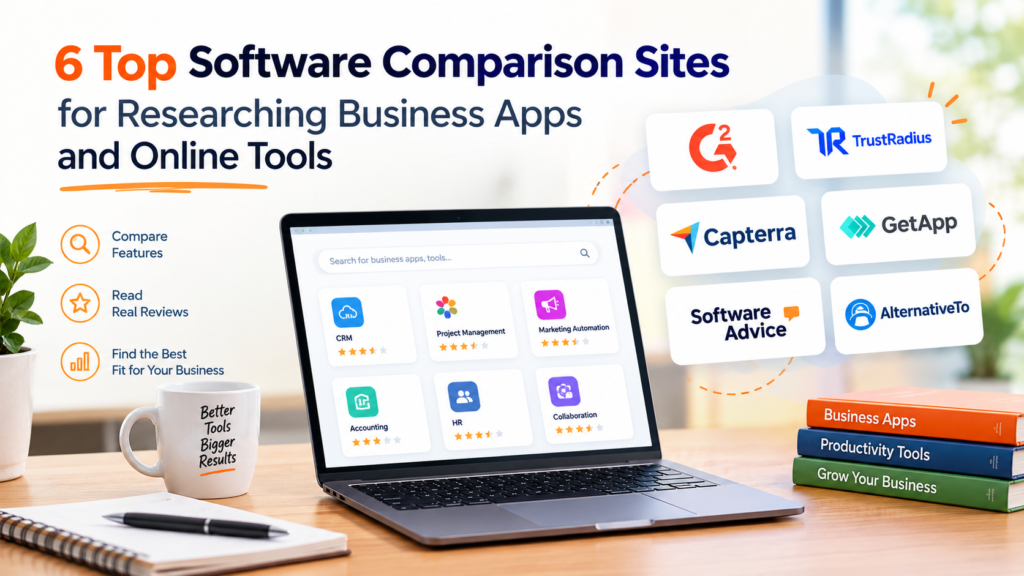
Since not every comparison site serves the same purpose, you need to know their differences. This article explores six software comparison sites for researching business apps and online tools.
G2: A Good Starting Point for Software Discovery
In simple terms, G2 brands itself as the place ‘where you go for software.’ On this comparison platform, users get to explore software and services based on over 3.6 million real reviews. To put it briefly, you can browse through categories like CRM, accounting, project management, marketing automation, e-commerce, and more.
Users browse software by category, compare products, read reviews, and examine information about individual products. This makes G2 especially useful when a business is still working on its shortlist rather than evaluating a single vendor.
Since we’re at it, it’s important to be aware of G2’s recent acquisition of Capterra, Software Advice, and GetApp from Gartner. The company later confirmed that these platforms were brought together under what is called G2 Digital Markets. Although you may still encounter Capterra, Software Advice, and GetApp as separate websites, do not treat them as three independent comparison platforms.
Where It Helps Most
G2 is particularly useful for the early and middle stages of software research. So, someone looking for project management software can first explore the category, identify different products, and use reviews to investigate their options closely.
The platform’s broad category coverage also makes it helpful when a business knows what it needs to accomplish but has not decided on a specific product. So, G2 would be best-suited for:
- Businesses that are exploring a software category
- Buyers who want user feedback alongside product information
- Businesses looking for peer reviews to narrow down their shortlist
What to Check Before Choosing
While reviews and comparison information help narrow the field, they should not be the only decision drivers. Check whether reviews come from businesses with similar needs as yours. Look closely at the features included in the relevant pricing tier. Also, verify current pricing and integrations with the vendor before locking in your choice.
Read More: How Purpose-Built Performance Management Software Aligns Goals Across Your Org
TrustRadius: For In-Depth Peer Reviews and Product Evaluation
This comparison platform started operations back in 2012 with the goal of helping B2B technology buyers make smarter and informed purchase decisions. Today, this platform has grown into one with buyer intelligence, offering comprehensive product comparisons.
You can investigate software through customer reviews, comparisons, and category research. Its coverage spans areas such as CRM, project management, HR, accounting, cybersecurity, and IT infrastructure.
The platform places particular emphasis on experiences from people who have used the products. This makes it useful for buyers who want more than a vendor’s description of what a tool can do.
Where It Helps Most
Businesses that have moved from discovering software to evaluating specific options would find this platform most useful. TrustRadius’ detailed reviews can help buyers understand how a product performs in actual use, including its strengths, limitations, and compatibility with different needs.
TrustRadius’ 2026 B2B Buying Disconnect research found that buyers consulted an average of 4.7 information sources during the software buying process. Free trials, demos, and prior experience were the most influential resources. At the same time, user reviews and recommendations from friends or peers ranked among the five most influential.
In a nutshell, TrustRadius can fill an important gap when a buyer wants third-party experience to complement what a vendor or product demo tells them.
What to Check Before Choosing
Again, refrain from treating the overall rating as the final answer. Look for reviews from businesses with similar company sizes, industries, roles, and use cases. Recurring comments about implementation, usability, support, and integrations can be more informative than a single positive or negative review. Also, verify the details with the software provider before deciding.
Software Finder: A Guided Approach to Software Selection
Covering over 1,000 software categories, this comparison platform is designed to save time through expert advice. Essentially, its main strength lies in personalized recommendations based on your unique business needs.
Its listings bring together product information, pricing, reviews, alternatives, and other details that help businesses compare solutions in one place. As for the guided research, you can share your software needs and challenges with the platform’s advisors, who will then suggest the most relevant options.
Where It Helps Most
Software Finder can be useful when a business knows what it needs from a solution, but has no clue about the product that fits those requirements. Instead of researching dozens of vendor websites individually, users can start with a category, review product profiles, and compare features.
This platform is most beneficial for small and mid-sized companies that need solutions aligned to their budget. Also, businesses with specific software needs but limited time for independent research would find the support they need.
Forrester’s 2026 Buyers’ Journey research found that both business and technology decision-makers prioritize operational efficiency while purchasing business applications. Hence, software research is more useful when it connects product capabilities with the outcomes a business needs.
What to Check Before Choosing
First, identify the requirements that matter most to your business. For instance, a small company may prioritize affordability and ease of use, whereas a larger organization may need deeper integrations and scalability. Such criteria will make the research process more focused.
As with the software research platform, use listings and reviews as a guide, but take your time with the decision. Check how recently pricing and product information were updated and confirm important details such as integrations and implementation requirements.
AlternativeTo: In case of Replacements Needed for Existing Software
This company’s mission is to help users find the right software, but primarily alternatives to applications or tools they already know about. So, instead of starting with a category such as CRM or project management, a user can search for a particular application and see other products that serve a similar purpose.
This platform covers web, desktop, and mobile software, as well as self-hosted options. It lets users explore alternatives by features, platforms, licenses, and other criteria. Moreover, AlternativeTo is community-driven. This means its listings and recommendations are largely contributed by users, allowing people to discover lesser-known options.
Where It Helps Most
AlternativeTo can be particularly suitable for businesses considering a switch from an existing tool. A company may be looking for an alternative because of rising costs, missing features, platform restrictions, or a change in how its team works.
For instance, a business that’s using a particular project management application can enter that product on AlternativeTo and investigate software designed to perform a similar core function. The platform’s filters can further help users look for alternatives that meet specific requirements, such as being free, open source, and self-hosted.
What to Check Before Choosing
AlternativeTo should be considered mainly as a discovery tool, not a final purchasing source. The platform states that its listings are submitted by its community. Hence, it does not independently test, verify, or certify the listed software.
It’s important to verify the alternative’s current pricing, integrations, security provisions, data portability, and compatibility with the provider. Also, confirm whether the suggested alternative covers the functions that your business depends upon.
Read More: 5 Remote Desktop Software Platforms Used by IT Helpdesk Teams
PeerSpot: Good for Enterprise Technology and Practitioner Insights
With PeerSpot, you can browse through 80,000+ comparisons with reviews, buyer guides, and more. The platform even lists a chart of popular comparisons to give new users a head start. The key focus areas on this platform are enterprise software and IT solutions.
It consists of detailed user reviews, buyer guides, and community discussions across areas such as cybersecurity, cloud infrastructure, networking, DevOps, and IT operations. PeerSpot claims that its reviews come from verified users who have used the products within the previous 12 months.
Where It Helps Most
If a business needs insight into how enterprise technology works in real-world settings, PeerSpot can help. Reviews include details about implementation experiences, strengths and limitations, technical requirements, and the conditions in which a product is being used.
A recent CBS News report makes that context more relevant than ever. It noted that AI-enabled attacks increased by 89% in 2025 compared with 2024, citing a CrowdStrike study. The report also highlighted vulnerabilities associated with insecure and unpatched software, misconfiguration, and legacy technical debt.
Shockingly, KPMG’s 2026 Cybersecurity & Technology Risk Survey also found that 83% of surveyed security leaders at US organizations with over $1 billion in revenue reported an increase in cyberattacks over the past 12 months. Businesses researching security, infrastructure, or other enterprise technologies may, therefore, benefit from practitioner perspectives.
What to Check Before Choosing
Look for organizations with a similar technical environment, use case, or deployment model. Pay attention to comments about implementation, integrations, scalability, security, and compatibility with existing systems. Since enterprise technology changes quickly, check when the review was written and verify product capabilities with the vendor.
Read More: Why Software Engineers Need Visual Collaboration Suites
SourceForge: Suitable for Detailed Software Filtering and Open-Source Discovery
Founded in 1999, SourceForge is a B2B software comparison platform where buyers can compare across thousands of categories. This platform has a large, open-source software directory covering categories ranging from CRM and accounting to project management and e-commerce.
Buyers can compare products based on factors such as pricing, integrations, deployment, and organization size. The directory is constantly analyzed and updated to provide the most up-to-date and cutting-edge comprehensive research. This platform sees worldwide traffic of around 20 million monthly users.
Where It Helps Most
SourceForge is primarily helpful when specific technical or operational requirements need to narrow the search. A business can filter software by factors such as cloud or on-premises deployment, operating system, pricing model, and organization type rather than working through a broad list of products.
It can also help teams investigating open-source alternatives to commercial tools. This is especially relevant when a company wants greater control over deployment or customization. Still, the suitability of an open-source product will depend on the team’s technical resources and support requirements.
What to Check Before Choosing
Use SourceForge’s filters to build a focused shortlist, but consider the results as a starting point for further research. Since pricing, deployment options, and support arrangements can change, confirm important details on the software provider’s website.
For open-source projects, look beyond the listing itself. Check the project’s recent update activity, license, documentation, and available support. A tool may offer the required functionality, but still demand more technical expertise to deploy or customize than a business is prepared to provide.
FAQs
How can businesses make software research more efficient?
To make software research more efficient, start by defining the business need, budget, essential features, and technical requirements. Then, use comparison platforms to discover options and examine user experiences. A few relevant criteria save time that may otherwise be spent comparing products that are irrelevant.
What should businesses compare while evaluating software options?
The most important thing is to look beyond features and overall ratings. Consider pricing, deployment requirements, scalability, security, and feedback from organizations with similar needs. Identify the requirements that affect your business’ daily operations and focus on those.
When should a business use a software comparison site?
Comparison sites can be useful at several stages of the buying process, from discovering a category to researching specific products. They can also help businesses gather different kinds of information before creating a shortlist. So, a business can use such a site to explore a new software category, replace an existing tool, or compare several solutions.
A Quick Glance at What Each Platform Offers
| Comparison Platform | Best Used For |
| G2 | Category discovery and peer reviews |
| TrustRadius | In-depth product evaluation |
| Software Finder | Guided software selection |
| AlternativeTo | Software replacement decisions |
| PeerSpot | Enterprise technology research |
| SourceForge | Software filtering and open-source discovery |
| Key Takeaway | Match the platform to your business needs. |
As you just read, each comparison platform serves a unique research purpose. The best place to start is not always the platform with the largest number of listings or reviews. The most useful approach is to match the platform with your needs.
Start broadly if you’re still defining your options, then move toward detailed reviews and technical research. If you are replacing an existing application, begin with alternatives to that specific tool.
Comparison sites should inform a decision, rather than make it on your behalf. If the final list fits your team’s workflow, budget, technical environment, and long-term goals, that’s all that matters in the end.