When leadership asks how long systems will be down, you need more than a rough guess. You need clear numbers, a workable timeline, and a fallback you trust. A smooth move starts with firm limits on downtime, staged testing, and a cutover you can reverse if needed.
Key Takeaways
These rules cut a large share of the avoidable risk.
- Set RTO and RPO early so every workload has a clear downtime and data-loss limit before you touch production.
- Map dependencies before you move anything because undocumented links between apps, storage, and network paths cause surprise outages.
- Use the 7 Rs per workload instead of forcing one migration method across the whole environment.
- Match the transfer method to the data size so your cutover window fits reality, not wishful thinking.
- Use a go or no-go gate and a tested rollback so the team knows exactly when to proceed and when to step back.

What a Data Center Move Really Involves
You are moving applications, data, network paths, and support processes, not just hardware
Scope the Move
Start with a full inventory of servers, virtual machines, storage, network gear, security tools, backup targets, and monitoring systems. Then map each application to its owner, service level agreement, or SLA, data sensitivity, and rules such as HIPAA or PCI.
This step feels slow, but skipping it creates the fastest path to chaos. You cannot protect or recover what you have not cataloged. If your team is also weighing AWS, Azure, or Google Cloud, decide here which workloads stay on premises and which ones move out.
Triggers and Goals
Common triggers include a lease end, consolidation after an acquisition, rising costs, weak resilience, or a broader modernization effort. Tie each trigger to a measurable goal such as lower latency, lower spend, or a firm availability target.
Early Stakeholder Map
Get infrastructure, security, networking, facilities, finance, and customer support in the same room early. Name one accountable owner, set a daily decision rhythm for move week, and define who can approve exceptions. When ownership is vague, timelines slip.
Risk and Security First
Downtime and data loss limits should drive every technical choice that follows.
RTO and RPO in Plain English
Recovery Time Objective, or RTO, is the longest a system can be unavailable before the business takes unacceptable damage. Recovery Point Objective, or RPO, is how much data you can afford to lose, measured back from the disruption point. NIST SP 800-34 uses both measures to guide recovery planning. Use them to set replication frequency, backup timing, and cutover windows for each workload.
Security by Design for Migrations
Migrations create temporary gaps that attackers like to exploit. Use jump boxes, multi-factor authentication, segmented migration networks, least-privilege accounts, and secret rotation right after cutover. Run a vulnerability scan before the move and a hardening review after the new environment is live.
NIST released Cybersecurity Framework 2.0 on February 26, 2024, adding a sixth core function called Govern alongside Identify, Protect, Detect, Respond, and Recover. Map migration controls to all six functions so nothing slips. IBM’s 2024 Cost of a Data Breach report found the global average cost reached $4.88 million, up about 10 percent year over year.
Data Protection and Sanitization After the Move
Once workloads are stable at the new site, the old media still needs attention. NIST SP 800-88 Rev. 2 outlines three sanitization methods: Clear, Purge, and Destroy. Each method needs verification and a certificate of sanitization. Keep chain-of-custody records for every drive and tape that leaves the building.
54% of recent significant outages cost over $100,000. 16% exceeded $1 million. Four in five respondents said their last serious outage was preventable. Power issues remain the most common cause of serious outages, while network issues are the largest single cause of IT service outages. Source: Uptime Institute, 2024.
When To Bring in Specialists

Bring in outside help when scale, geography, or timing outgrows what your internal team can safely handle.
Look for documented runbooks, certified field technicians, chain-of-custody procedures, proof of insurance, and 24×7 cutover support. Small and mid-size teams usually gain the most when a partner handles site access, rack and stack, structured cabling, and physical move coordination.
If you need one point of contact for on-site execution and multi-site cutovers, that kind of partner support matters most when the move spans several locations, tight access windows, detailed cabling plans, chain-of-custody requirements, and certified field work that must stay aligned with your runbook, approvals, and rollback timing. In that case, Kinettix’s data center migration services can support certified field work across the country. That lets your core team stay focused on application validation, user impact, and rollback decisions instead of logistics.
Your 90-Day Low-Risk Migration Plan
A phased plan lowers risk because it gives you time to test, measure, and correct mistakes before the final cutover.

Phase 1, Assess and Baseline, Days 1 to 15: Finish the inventory, rank app criticality, lock RTO and RPO per workload, classify data, document dependencies in a configuration management database, or CMDB, and draft rollback steps and communication templates.
Phase 2, Target Environment and Network, Days 10 to 25: Prepare the destination site or cloud region. Build the IP plan, routing, firewall rules, identity setup, logging, monitoring, backup targets, and disaster recovery alignment. Test alerting before any live data moves.
Phase 3, Pilot and Rehearsal, Days 20 to 35: Choose one low-risk workload and rehearse the entire move. Validate the runbook, measure actual downtime, confirm rollback, and fix weak steps before the next wave starts.
Phase 4, Data Migration, Days 30 to 60: Use continuous replication for critical databases. For very large datasets, seed data with offline appliances such as Azure Data Box or AWS Snowball Edge, then sync only the changed data before cutover. Track throughput every day against the cutover window.
Phase 5, Application Waves, Days 45 to 80: Group workloads by dependency, not by team preference. For customer-facing services, consider canary releases, which shift a small share of traffic first, or blue-green releases, which keep old and new environments live side by side. Freeze changes during each wave.
Phase 6, Cutover Weekend, Days 75 to 90: Run a structured change window with checkpoint reviews, a firm go or no-go gate, validation tests, security checks, monitoring review, and stakeholder updates. Set a rollback deadline that everyone agrees on before the window opens.
Phase 7, Stabilize and Optimize, After the Move: Right-size performance, review costs, turn on managed services where they help, retire old technical debt, update diagrams and the CMDB, and record lessons learned while the details are still fresh.
Choose the Right Migration Pattern for Each Workload
The safest path is usually the simplest one that still meets the workload’s business and technical needs.
AWS groups migration choices into the 7 Rs, which help you avoid forcing one method onto every application.
- Retire: Turn off unused or low-value applications.
- Retain: Keep certain systems where they are for now.
- Rehost: Lift and shift with minimal change for speed.
- Relocate: Move a similar virtualized stack with very little redesign.
- Repurchase: Replace the system with a SaaS product.
- Replatform: Make small improvements during the move.
- Refactor: Redesign the app when major gains justify the effort.
A payroll system with a hard deadline may be best rehosted first and improved later. A database that is already hitting limits may need replatforming to meet recovery goals. An old reporting tool used once a quarter may be a good retire or repurchase candidate. Microsoft’s Cloud Adoption Framework also recommends outside help when the team lacks experience with strategy, tooling, or timeline planning.
Move the Data Without Missing the Window
Your transfer method has to match the dataset size, link speed, and security controls, or the whole schedule breaks.
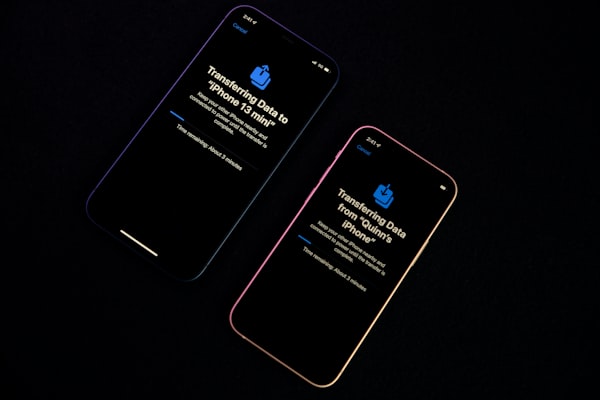
For smaller datasets on stable links, online replication and snapshots usually work well. For terabytes or petabytes, offline appliances such as Azure Data Box or AWS Snowball Edge can seed the bulk of the data faster and more predictably. After that, use network sync to move only the final changes. This method cuts pressure on the cutover weekend and lowers the chance of missing the window.
Validate the move with throughput burn-in tests, checksum checks for integrity, access and permission reviews, performance tests under load, and at least one failover drill.
Budget and Timeline: How To Avoid Surprises
Cost and schedule problems usually start with vague scope and hidden dependencies, not with the cutover itself.
Time-box discovery, flag long-lead items such as circuits and rack orders, and budget for extra labor to label, cable, pack, and remove gear. Include dual-run costs, disposal and sanitization costs, and temporary support coverage after the move. Track progress with a weekly executive summary, a burn chart, a risk log with owners, and tight change control for any new scope.
Read More: Top Mobile App Builders for Your Shopify Store in 2026: Ranked by Features, Pricing, and Performance
Conclusion
A calm move comes from clear limits, small rehearsals, and a rollback plan you trust.
Set recovery targets early, map dependencies before you schedule the cutover, and test the move on a low-risk workload first. Keep the plan simple, prove each step, and make sure every owner knows when to proceed and when to stop. Teams that practice before move weekend are the ones that avoid regret after it.
FAQ
These quick answers cover the questions that usually slow planning. They also show where rehearsals, approvals, and communication prevent avoidable delays.
How long does a typical small data center move take?
Most small moves take about 60 to 90 days from assessment through stabilization. The real driver is not hardware count alone. The bigger factors are dependency complexity, security requirements, and whether you leave enough time for a pilot and rollback test.
What is the fastest way to move large datasets securely?
When the data size is too large for the available bandwidth, offline transfer appliances are usually the fastest safe option. They let you move the bulk data physically in encrypted form and then sync the final changes over the network before cutover.
How do I choose between lift and shift and replatforming?
Lift and shift is usually better when the deadline is tight and the main goal is to reduce relocation risk. Replatforming makes more sense when the current setup cannot meet cost, performance, or recovery targets. Test both approaches on a low-risk workload before you commit.
What should be in my rollback plan?
A solid rollback plan needs a clear deadline for reverting, tested restores that meet recovery targets, pre-staged network settings at the original site, and a communication script for leaders, support teams, and users. Rehearse the rollback at least once before the live cutover.