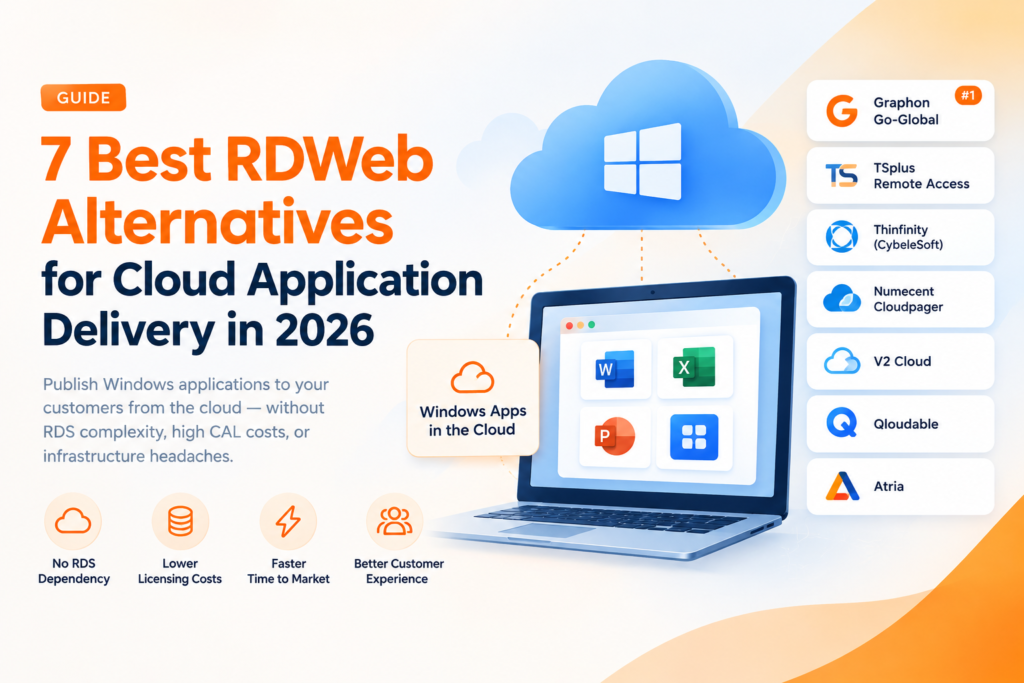
If you need to publish Windows applications from the cloud without inheriting the full complexity of RDS, these RDWeb alternatives offer different ways to deliver software to customers. RD Web Access has long been a standard option for making Windows apps available through a browser, but its economics may be a poor fit for software vendors. RDS CAL costs, named-user requirements, and infrastructure designed mainly for internal IT can become difficult to manage when selling software to a growing base of external customers.
Our top pick is Graphon Go-Global for ISVs that want to publish a Windows application directly to customers from the cloud without rewriting the app or retaining an RDS dependency. Its concurrent-user licensing avoids charging for every named account, and the vendor positions this model as capable of reducing total licensing costs by 40-70% compared with RDS-based stacks. Thinfinity (CybeleSoft) is the strongest alternative for ISVs aiming to turn an existing Windows app into a browser-delivered SaaS product with built-in multi-tenancy. Atria is the strongest alternative for ISVs that already operate a delivery stack and need to automate tenant provisioning and reseller onboarding.
This guide is intended for CTOs, product owners, and developers moving customers away from on-premises installations in 2026. The ranked list covers seven RDWeb alternatives for software publishers, evaluated on licensing model, RDS dependency, deployment approach, and ISV-specific capabilities. These factors should provide a practical starting point for creating a shortlist and deciding which products warrant a pilot.
At a glance: the 7 best RDWeb alternatives for publishers
These are the seven platforms covered in this guide. Use the table to build an initial shortlist, then review the full breakdowns for limitations, operational requirements, and trade-offs that may not be obvious from the product category alone.
| Provider | Best for | Licensing model | RDS required? |
| Graphon Go-Global | ISVs publishing Windows apps without RDS overhead | Concurrent-user, published tiered pricing | No |
| TSplus Remote Access | Evaluating Windows remote access and application publishing | Perpetual licence or monthly/yearly subscription | Not publicly confirmed |
| Thinfinity (CybeleSoft) | Converting legacy apps to browser SaaS | Not publicly confirmed | Not publicly confirmed |
| Numecent Cloudpager | Containerized provisioning to cloud desktops | Not publicly confirmed | Depends on the underlying desktop or DaaS environment |
| V2 Cloud | Managed full cloud desktops | Not publicly confirmed | Not publicly confirmed |
| Qloudable | Demo labs and trial templates | Not publicly confirmed | Not applicable to production publishing |
| Atria | Automating tenant and reseller onboarding | Not publicly confirmed | Depends on the underlying delivery stack |
What to look for
When comparing RDWeb alternatives, focus on the variables that determine total cost, customer experience, and operational workload over time. These are the main criteria used to rank the options below, although the importance of each one will depend on whether the goal is production delivery, desktop access, provisioning, or sales demonstrations.
RDS dependency
Determine whether the platform needs an RDS host or CAL to operate. If it does, the Microsoft licensing layer remains part of the deployment even if the user-facing experience changes. RDS-free options can remove that cost and may simplify compliance for customer-facing delivery, while orchestration products that sit above an existing stack generally leave its licensing requirements in place.
Licensing model
Check whether pricing is based on named users, concurrent users, devices, infrastructure, or another commercial unit. For many ISVs, concurrent-user licensing is a better match because charges follow simultaneous sessions rather than every customer account created. Named seats can become expensive when the service has a large number of occasional users, although concurrency pricing is less advantageous when nearly everyone uses the application at once.
Deployment model
Decide whether the product should be self-hosted, consumed as a managed service, or operated as part of a hybrid deployment. Self-hosting provides more control but leaves the infrastructure and day-to-day administration with the ISV or its hosting partner. Managed desktop services reduce that operational burden, but they may provide a complete desktop when customers only require access to one application.
ISV features that matter
Look for multi-tenancy, branding, provisioning, reseller support, and controls intended for external customer delivery. Internal IT products do not always include these capabilities because they were designed to serve employees within one organisation. Purpose-built ISV features can reduce the amount of custom work needed to create tenants, manage customer access, and support channel partners.
Total cost impact
Consider infrastructure, CALs, support, administration, and scaling behaviour rather than relying on the initial subscription or licence price. A product with a lower headline price may cost more at scale if it still requires CALs or named-user seats. Reported savings are useful as vendor positioning, but they should be tested against actual usage patterns, anticipated concurrency, and the cost of the underlying hosting environment.
Client requirements
Confirm what each end user needs in order to run the application. Browser-based HTML5 delivery can remove local installation steps, while agent-based or thick-client approaches may still be suitable when they provide the required functionality. Any client component adds another item to support, particularly when the users are external customers operating on devices that the ISV does not manage.
Rewrite requirement
Establish whether the existing Windows application can be published as is or whether some redevelopment will be necessary. Many ISVs cannot justify a complete move to a web-native architecture before launching cloud delivery. Options that avoid redevelopment can lower migration risk and shorten the path to a hosted offering, provided that application behaviour and required peripherals are validated during testing.
Top Cloud Development Companies Driving Digital Transformation in 2026
The 7 best RDWeb alternatives for software publishers in 2026
The platforms below are seven notable options in 2026 for ISVs considering a replacement for, or an addition to, RD Web Access. Each serves a distinct use case and has been assessed against the criteria above. They are ranked with the strongest overall fit for direct ISV application delivery first, followed by products focused on remote access, browser SaaS, provisioning, managed desktops, demonstrations, and orchestration.
#1. Graphon Go-Global – Best for ISVs publishing Windows apps to customers without RDS overhead
For software vendors that sell a Windows application and want customers to run it from the cloud without a rewrite or RDS overhead, Graphon Go-Global is designed around that delivery model. It is a purpose-built application publishing platform for software vendors serving external customers, rather than internal desktop infrastructure adapted for a commercial software offering.
Graphon Go-Global publishes an existing Windows application as is, allowing an ISV to make the product remotely available without rebuilding it as a web-native application. It operates without an RDS dependency, which removes the RDS CAL requirement, and uses concurrent-user licensing instead of named seats. The vendor positions this combination as capable of reducing total licensing costs by 40-70% compared with RDS-based stacks, although that range is not a guaranteed outcome and should be validated against real session concurrency and deployment costs.
Go-Global handles remote application delivery while allowing the existing Windows codebase to remain in place. This avoids both a web rewrite and per-user RDS CAL management, while licensing follows simultaneous usage rather than the total number of registered accounts. For an ISV whose customers sign in occasionally, that structure may be more economical than buying named-user access for everyone. It is particularly relevant when eliminating the RDS licensing layer is a central requirement rather than a secondary preference.
Key specs:
- No RDS dependency and no associated RDS CAL layer
- Concurrent-user licensing based on simultaneous sessions
- No application rewrite required for the existing Windows software
- ISV-focused application delivery to external customers
- Remote delivery of cloud-hosted Windows applications
- Published tiered pricing per concurrent user, with sales contact required for the largest volumes
Pros
- Removes RDS CAL overhead from the delivery model
- Concurrent-user licensing aligns charges with simultaneous usage
- No rewrite reduces migration risk for existing Win32 applications
- Designed for ISV software delivery rather than internal IT use
- Vendor-positioned 40-70% cost reduction potential compared with RDS stacks
Cons
- Subscriptions require a one-year upfront contractual commitment
- Lower name recognition than some large enterprise vendors may require additional internal evaluation
- The claimed savings depend on concurrency and should be tested against the intended deployment
Who it is best for: ISVs that need to deliver an existing Windows application to paying customers from the cloud, remove RDS licensing from the stack, and scale licensing according to concurrent use.
#2. TSplus Remote Access – Best for Evaluating Windows Remote Access and Application Publishing
For small teams that want to publish Windows applications from infrastructure they already operate, TSplus Remote Access provides remote access and application publishing for Windows servers. Its scope includes both remote desktop access and delivery of individual Windows applications, making it relevant to organisations that plan to retain a Windows Server-based environment.
The product follows a Windows server model that may be familiar to administrators already responsible for Microsoft infrastructure. TSplus reports a network of approximately 5,000 business partners, which indicates an established channel around the product. The capabilities and support available through that network may vary, so prospective buyers should confirm the exact arrangement with TSplus or the partner involved.
For ISVs, TSplus may be practical when the intended deployment remains centred on Windows Server, but the architectural details still need direct validation. Public pricing confirms perpetual licences as well as monthly and yearly per-user subscription options. Public information does not establish that every configuration removes RDS licensing, nor does it confirm the depth of ISV-specific multi-tenancy features. A proof of concept should therefore test application delivery while the purchasing process confirms RDS requirements and tenant management rather than assuming that the product is a direct replacement for every part of an RDS stack.
Pros
- Established remote access and application publishing product
- Approximately 5,000 business partners reported by the company
- Works within a Windows server-oriented operating model
Cons
- RDS and Microsoft licensing requirements need direct validation for the proposed configuration
- Limited verified public detail makes a proof of concept important before purchase
- ISV-specific multi-tenancy and reseller workflows should be confirmed directly
Best for: SMBs and ISVs evaluating Windows remote access and application publishing that are prepared to validate licensing, RDS dependency, architecture, and ISV features directly with the vendor.
#3. Thinfinity (CybeleSoft) – Best for ISVs converting legacy apps to browser SaaS
If the objective is to make a Win32 application available as a browser-delivered SaaS product, Thinfinity (CybeleSoft) merits consideration. Its proposition is straightforward: transform existing software into SaaS without redevelopment or a client installation, allowing the established Windows application to remain the basis of the product.
Customers access the Windows application through a browser, which removes endpoint installation as part of the normal user journey. Thinfinity can be deployed as a fully managed or self-hosted service across multiple IaaS options, including OCI and IONOS Cloud, and includes capabilities relevant to SaaS delivery such as built-in provisioning and multi-tenancy. For ISVs, this combines HTML5 application delivery with operational features that would otherwise need to be supplied separately, while avoiding a full rebuild of the application codebase.
Thinfinity is a strong fit when the priority is bringing an existing application to the browser while retaining its Windows logic. It provides browser access, provisioning, and multi-tenancy within an ISV-oriented proposition. Buyers should assess which managed or self-hosted deployment and IaaS option best suits their technical and commercial requirements. Pricing is not confirmed from verified public sources, so the evaluation should include a quote based on the expected number of tenants and the planned usage pattern.
Pros
- No redevelopment required for existing Windows applications
- Browser delivery removes the need for client-side installation
- Built-in multi-tenancy and provisioning support SaaS operations
- Fully managed or self-hosted deployment across multiple IaaS options, including OCI and IONOS Cloud
- Explicit positioning for ISVs and SaaS delivery
Cons
- Buyers should confirm which IaaS and management model best fits their infrastructure requirements
- Smaller vendor footprint than major platform providers
- No verified public pricing for direct comparison
Best for: ISVs that want to convert a legacy Windows application into browser-delivered SaaS with provisioning and multi-tenancy, without rewriting the underlying product.
A Glance At The Various Types of Cloud Deployment Models
#4. Numecent Cloudpager – Best for containerized provisioning to cloud desktops
Numecent Cloudpager, now part of Citrix following an acquisition completed on 1 September 2026, addresses a different requirement from a standalone application streaming or publishing service. It is a containerised provisioning layer that delivers complex Windows applications to users without repackaging them. When packaging, configuration, and deployment across desktop environments are the main constraints, Cloudpager is the relevant product to assess.
Its Cloudpaging technology containers the application and, according to the vendor’s product information, can provision it to users worldwide within seconds over a global cloud backbone. The platform automates configuration and management for complex desktop setups and is intended to work with modern DaaS environments. This positions it as a provisioning component that can support different cloud desktop approaches, rather than a complete end-user delivery environment by itself.
For ISVs, the main value lies in repeatable provisioning and avoiding application repackaging for each environment. A common package can reduce migration effort and support deployment across varied customer setups. Cloudpager is not a complete publishing platform on its own, however, so an underlying desktop or DaaS service is still required and its cost belongs in the total calculation. Citrix says it plans to further integrate Cloudpaging and Cloudpager into its platform while continuing support for physical Windows desktops and laptops, so buyers should account for that transition when evaluating the roadmap and deployment fit.
Pros
- Avoids repackaging, reducing application migration work
- Vendor describes global provisioning as taking seconds
- Automates configuration for complex desktop environments
- Designed to work across DaaS and cloud desktop options
- Addresses an ISV use case for application provisioning at scale
Cons
- Functions as a provisioning layer, so a desktop or DaaS platform is still required
- Product roadmap and platform integration are in transition following Citrix’s September 2026 acquisition
- Limited public information on pricing and commercial terms
Best for: ISVs that need containerised Windows application provisioning for DaaS and cloud desktop environments without repeatedly repackaging the software.
#5. V2 Cloud – Best for ISVs needing a simple managed cloud desktop
In some cases, application-only publishing is not the actual requirement. Customers may need a complete Windows desktop that they can access remotely without the ISV managing the underlying servers. V2 Cloud is a managed desktop-as-a-service platform built for that full-desktop scenario rather than narrowly focused delivery of one application.
The service runs across globally distributed data centres, which the vendor positions as supporting low-latency access. Its core performance message is that the cloud desktop should feel responsive in a way comparable to using a physical PC. V2 Cloud also presents its CloudCare team of real people as a support differentiator, a point that may matter when external customers need assistance with the desktop service.
For ISVs and resellers, the main attraction is a managed DaaS subscription paired with geographic availability for distributed users. The compromise is that a complete desktop is heavier than necessary when customers only need a single application. V2 Cloud is not presented here as a purpose-built ISV multi-tenant publishing product, and the depth of provisioning, branding, and reseller functionality is not publicly confirmed. It is best considered when providing the full Windows desktop is acceptable or necessary.
Pros
- Managed service reduces direct infrastructure administration
- Global data centre presence supports geographically distributed users
- Vendor positioning focuses on low latency and a local-feeling desktop experience
- CloudCare support is promoted as a service differentiator
Cons
- A full desktop can be excessive when users only need one application
- Not established as a purpose-built ISV multi-tenant delivery platform
- ISV provisioning, branding, and reseller capabilities are not publicly confirmed
Best for: ISVs or resellers that need managed DaaS and consider a complete Windows desktop appropriate for their customers.
#6. Qloudable – Best for ISVs building demo labs and trial templates
Qloudable is included for a specific go-to-market function rather than everyday production application publishing. It is a SaaS platform aimed at publishers, enterprises, and end users, with an emphasis on showcasing cloud software through interactive demo labs, trials, and reusable solution templates.
For ISVs that find it difficult to give prospects a practical product experience, Qloudable addresses a gap that production publishing products may not cover. It can be used to build interactive demonstrations, cloud solution templates, and managed trial experiences intended to simplify deployment and administration during evaluations. The company explicitly targets cloud software publishers and ISVs and is headquartered in Redmond, Washington.
The scope is narrow and should remain clear during evaluation. Qloudable is not a production RDWeb replacement for customers who need routine access to an application. It is intended for demos, trials, and cloud templates that support sales and onboarding activity. Limited public information about pricing, integrations, detailed features, support arrangements, and the current roadmap makes direct vendor diligence necessary.
Pros
- Designed specifically for cloud software publishers and ISVs
- Demo labs support product trials and customer evaluations
- Cloud templates can simplify evaluation deployments for prospects
Cons
- Support arrangements and the current roadmap should be validated directly with the vendor
- Not a production application publishing or RDWeb replacement platform
- Limited public information about features, integrations, and pricing
Best for: ISVs that need demo labs, managed trials, and cloud templates to showcase software to prospective customers.
#7. Atria – Best for automating multi-tenant provisioning and reseller onboarding
Atria is an orchestration and automation layer rather than an application streaming engine. For organisations that already have delivery infrastructure but face operational bottlenecks, it automates tenant setup, user provisioning, and access management. This allows an ISV to scale customer and reseller administration without routing each routine request through its engineering team.
It is a self-hosted management plane rather than a SaaS platform, giving the operator direct control over its data and infrastructure. Atria is designed to work above existing virtual application infrastructure and is positioned for ISVs delivering Windows and desktop applications. Its notable workflow is reseller enablement, allowing resellers to onboard customers without waiting for the ISV’s engineers and supporting a channel-based delivery model.
Atria is most relevant when the existing delivery stack remains suitable but its administration is slowing growth. It is not the right product for replacing publishing infrastructure because it does not supply the underlying delivery engine; it adds automation above that engine. If the existing stack carries RDS CAL costs, those licensing requirements remain after Atria is introduced. Its self-hosted model also means the operator remains responsible for managing the orchestration plane.
Pros
- Purpose-built support for ISV tenant and reseller automation
- Platform-agnostic approach works over existing delivery infrastructure
- Self-hosted deployment preserves control of data and infrastructure
- Reduces engineering involvement in routine reseller onboarding
Cons
- Self-hosting leaves management of the platform with the operator
- Does not replace the underlying application delivery engine
- Existing RDS licensing remains when the delivery stack still requires it
Best for: ISVs that want to automate multi-tenant provisioning and reseller onboarding while retaining their current application delivery infrastructure.
Frequently asked questions
Should I replace RD Web Access if RDS CAL costs keep rising?
Replacing it is worth considering when a large share of the cost comes from named seats and CALs rather than infrastructure. RDS-based publishing was designed primarily for internal users, so an ISV with many external or occasional users may find the model expensive. An RDS-free concurrent-user product can lower licensing costs in the right circumstances, but the comparison should use real concurrency levels rather than the total number of registered accounts.
Is concurrent-user licensing worth it for ISVs with many occasional users?
In many cases, yes, because charges are based on simultaneous sessions instead of every account. This structure can suit trial users, seasonal demand, and large customer populations whose members only use the product occasionally. It becomes less attractive when nearly all users are active throughout the day, so both named-user and concurrent-user models should be calculated against the same usage assumptions.
Should I choose application publishing or a full cloud desktop for my customers?
Application publishing is generally the better fit when customers only need one product or a small application suite, as it provides a narrower environment to administer and support. A full cloud desktop is appropriate when customers need a complete Windows workspace that includes files, settings, and multiple tools. The choice should follow the actual user requirement rather than the broadest set of available platform features.
Is browser only delivery worth it if I do not want to rewrite my Windows app?
Browser-only delivery can be valuable when local installation is slowing adoption or increasing endpoint support. It allows customers to access an existing Windows application without a client installation or web-native rewrite. This approach is particularly relevant for external users, demonstrations, and faster onboarding, although printing, peripheral support, application behaviour, and performance should still be tested before production use.
Should I keep my existing stack and automate it instead of switching platforms?
Automation makes sense when the delivery engine is working well but tenant setup, access management, or reseller onboarding is too slow. A management plane can streamline those workflows without requiring a platform migration. Switching is more appropriate when licensing costs or architectural constraints are the underlying problem, because orchestration alone does not remove CALs or replace the delivery infrastructure.
Which option fits your scenario?
For an ISV publishing a Windows application to customers and seeking to remove RDS costs, Graphon Go-Global is the most direct fit because of its RDS-free concurrent-user model. Thinfinity (CybeleSoft) is better suited to browser SaaS delivery with multi-tenancy and no application rewrite, while Numecent Cloudpager addresses packaging and rapid provisioning across desktop environments. V2 Cloud provides a managed full desktop rather than application-only delivery, and Qloudable covers demonstrations, trials, and cloud templates instead of production publishing. Atria is appropriate when the priority is automating tenants and resellers on an existing stack. The practical next step is to shortlist two options, pilot a real application, and compare concurrency, support requirements, licensing dependencies, and total cost before making a commitment.