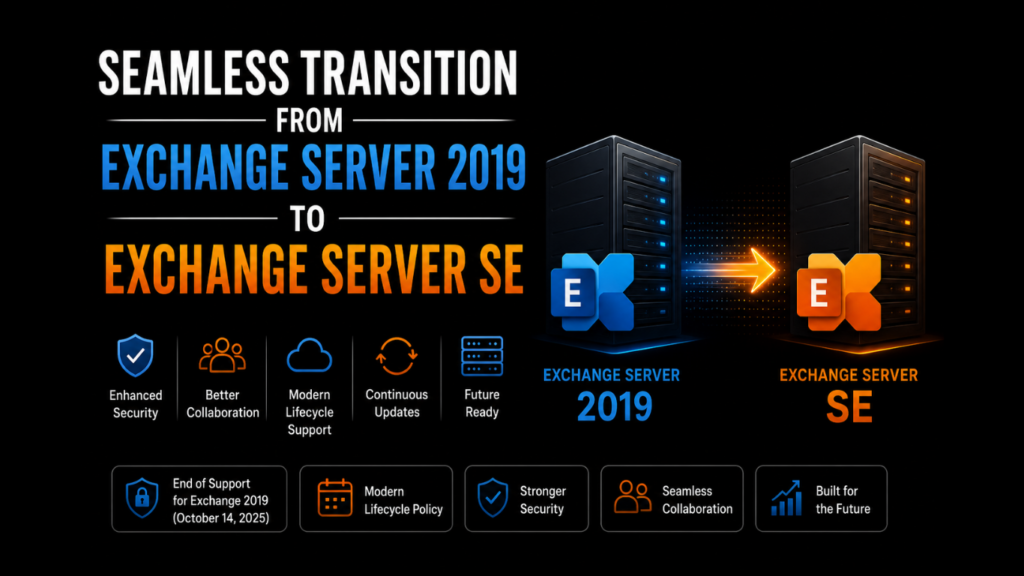
Exchange Server 2019 is an efficient and feature-rich on-premises email communication platform. It boasts of improved end-user experience and excellent performance owing to its capability to support 48 CPU cores and 256GB RAM. In addition, users also prefer it for its advanced security with TLS 1.2 enforcement.
Despite multiple capabilities, organizations are now transitioning to Exchange Server Subscription Edition (SE) as Exchange Server 2019 reached the end of mainstream support on October 14, 2025, and organizations are encouraged to transition to Exchange Server Subscription Edition (SE) to continue receiving support and updates under Microsoft’s new servicing model. In this blog, we will find out more about Exchange Server SE, followed by the methods to transition Exchange Server 2019 to SE.
What is Exchange Server Subscription Edition (SE)?
Exchange Server SE is Microsoft’s latest collaboration platform, which acts as the direct successor to the Exchange Server 2019. It extends an advanced email communication with support for on-premises Exchange version, providing a modern lifecycle support with the following key characteristics:
- End of version numbers: Exchange SE will be permanent. There will be no more year versions, like Exchange 2026 or Exchange 2027.
- Continuous support: There is no fixed expiration date for the support for Exchange SE; it will continue for at least 2035.
- Licensing structure: The users must have related Microsoft 365 cloud subscriptions (such as E3 or E5) or possess active Software Assurance (SA) on their SE license.
- Improved collaboration features: It integrates completely with SharePoint Server Subscription Edition (SE). This allows users to view and edit files in Outlook-on-the-web through OneDrive for Business or on-premises SharePoint. This allows users to view and edit files in Outlook-on-the-web through OneDrive for Business or on-premises SharePoint, while organizations can further strengthen account security by implementing OTP verification forms for user authentication.
- Old-protocols eliminated: Exchange Server SE has deprecated legacy features, such as Outlook Anywhere (RPC/HTTP) protocol, to make way for comparably more secure and web-native collaboration.
What are the risks of continuing with Microsoft Exchange Server 2019?
The official support for Exchange 2019 ended in October 2025. Hence, if you are still using an older version, it can cause operational risks due to discontinued security updates and patches, and mainstream support. Here are some probable threats of continuing with Exchange Server 2019 explained:
- No security patches: The end of support for Microsoft 2019 will leave any new security threats on your system unfixed and permanently unpatched.
- Prone to malware attacks: The intruders are actively on the lookout for infrastructure with discontinued security support. Specifically, mail servers are the main targets for data breaches and ransomware.
- Legal hassles: Sticking to an unsupported email server will violate data protection laws, such as GDPR, HIPAA, and others, thus inviting regulatory fines.Pairing Exchange with dedicated archiving software keeps a tamper-resistant, searchable copy of every mailbox, journal, and shared folder, which goes a long way toward satisfying GDPR and HIPAA retention rules.
- Zero technical support: During a server crash, database corruption, or mailbox- related issues, your IT professionals have to fix the issues on their own, due to no official Microsoft support on the technical front.
- Discontinued CU: The end of support for Exchange Server 2019 prevents the servers from receiving Cumulative Updates (CU) as well, along with updates on time zone and Daylight Saving Time (DST). This will create calendar-syncing errors and break integrations with third-party apps.
Considering these issues, it is better to transition your Exchange Server 2019 to Exchange Server SE.
Options to move from Exchange Server 2019 to Exchange Server SE
You can upgrade to Exchange Server SE through two options – Legacy Upgrade and In-Place Upgrade. Before starting, keep in mind two major pointers:
- It is wise to install Exchange Server SE Release to Manufacturing (RTM), as it avoids SE and Exchange Server 2013 from coexisting.
- Setting up Exchange Server SE CU2 will prevent its coexistence with any other unsupported Exchange Server version.
Here is a detailed insight into both of them:
Legacy Upgrade
This traditional method of Exchange migration is useful when you wish to transition to Exchange SE, a fresh Windows Server version, or new hardware. Here are the three major steps to move to SE from Exchange Server 2019:
- Add the new server (SE) to your organization
- Move all your mailboxes and other communication resources to the new server
- Uninstall the previous server
In-place upgrade
This upgrade lets you install Exchange Server SE over the existing Exchange Server 2019.
Major Prerequisites
Your system should already have Exchange Server 2019 in an active state with Cumulative Update (14) or 15
OS requirement
The Operating System can be Windows Server 2019, 2022, or 2025
Steps for transition through in-place upgrade
- Take a backup of your active directory and active databases
- Download the Exchange Server SE ISO package and install it on your system
- Continue with the installer wizard to do the following tasks:
- Uninstall legacy components
- Overwrite binaries
- Update the system to Exchange SE
- Restart your machine, complete the process, and implement the upgrade changes
Exchange 2019 vs. Exchange SE: Key differences
As stated, both Exchange Server SE RTM and Exchange 2019 CU15 are code equivalent. The following points differentiate them.
- The License agreement (RTF file) depicted in the setup’s GUI version is distinct
- The product changes from MS Exchange Server 2019 to MS Exchange Server subscription Edition
- The build number is also different
Exchange Server 2019 to Exchange Server SE transition via Exchange migration software
These manual methods are likely to encounter several problems, as listed below:
- Infrastructure or configuration issues with cumbersome fixes
- Consumption of considerable time in completing the migration
- Possibility of human errors, hardware/software problems, malware intrusion,
- Restricted flexibility when migrating mailboxes and public folders across separate Active Directory environments or the same forests
To avoid these hardships, today’s advanced migration software provides an easier and more convenient alternative for the transition from Exchange Server 2019 to SE.
Tools, such as Stellar Migrator for Exchange, can be a viable option to consider in this regard, as it allows you to ensure a seamless transition of mailboxes across Exchange Servers without going through complicated procedures. You can also use it for the same-forest and cross-domain migration.
Read More: How to Keep Track of Payment Deadlines Without Feeling Overwhelmed
Conclusion
Microsoft Exchange Server 2019 is an efficient and secure email communication platform that provides multiple features for its users. On October 14, 2025, it reached the end of support, resulting in zero technical support and security updates. This has also exposed the Exchange Server 19 version installed on countless systems worldwide to malware attacks and legal issues.
To deal with this situation, transitioning from Exchange Server 2019 to Exchange Server SE (Subscription Edition) is a viable option. You can do this migration task through a legacy upgrade or an in-place upgrade. The first method requires you to create a new Windows Server, install Exchange SE on it alongside your current Exchange Server 2019, and start moving the mailboxes across the two servers.
Likewise, using an in-place upgrade requires you to install Exchange SE directly on top of an Exchange 2019 server. Following it, you will have to modify your software binaries without making changes to hardware, mailbox databases, or OS.
These manual methods may cause issues related to infrastructure, configuration, excessive time consumption, system crashes, human errors, and more. To avoid such hassles, transitioning from exchange migration software is an advisable move. Using Stellar Migrator for Exchange is a feasible tool to serve your purpose in this context.