
You’ve spent months planning, designing, and building your new website. The launch date is circled on your calendar, and you’re ready to hit that publish button. But here’s a question that should make you pause: is your site actually ready to be found by search engines?
I’ve seen it happen too many times. A business launches a beautiful new website with all the bells and whistles, then wonders why they’re not getting any organic traffic weeks later. The problem? They treated SEO as something to “figure out later” instead of baking it into the foundation from day one.
The truth is, fixing SEO issues after launch is like trying to install plumbing after the house is built. It’s possible, but it’s way more painful than doing it right the first time. That’s why I’ve put together this pre-launch checklist to make sure your site is optimized before it goes live.
Technical Foundation First
Let’s start with the unglamorous stuff that actually matters most. Your website’s technical setup is like the foundation of a house – if it’s shaky, nothing else you build on top will stand strong.
Crawlability & Indexing
First things first: can Google actually see your site? It sounds obvious, but you’d be surprised how many websites launch with their robots.txt file still blocking search engines. This is often left over from development when you didn’t want Google indexing your half-finished pages.
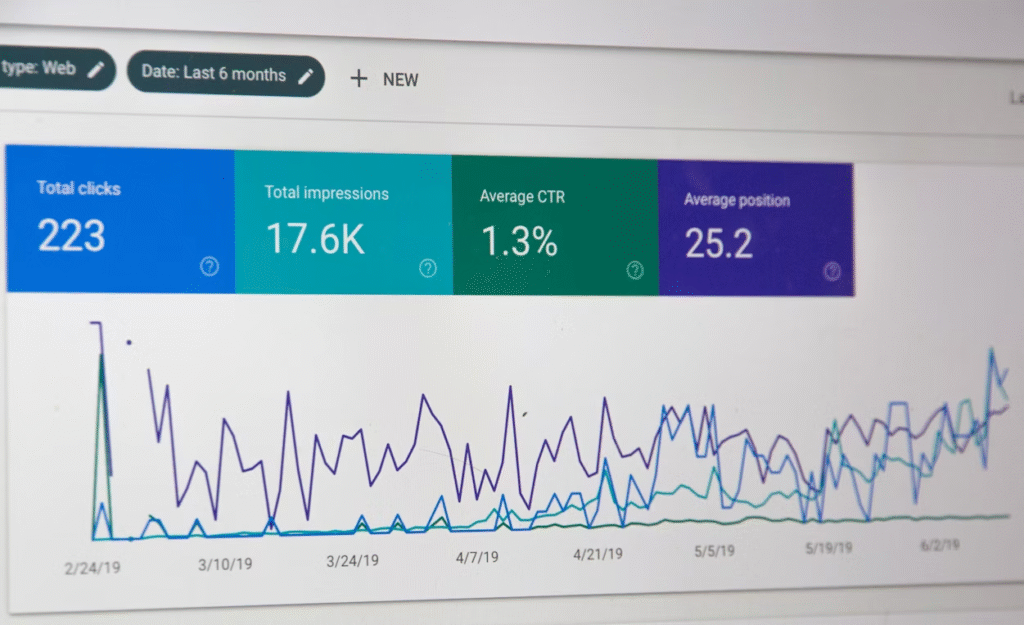
Pull up your robots.txt file (it’s at yoursite.com/robots.txt) and make sure it’s not accidentally blocking important pages. While you’re at it, create an XML sitemap and submit it through Google Search Console. Think of this as giving Google a roadmap to all your important pages.
And here’s a gotcha that catches people all the time: check for any lingering “noindex” tags in your page code. Developers often add these during testing, then forget to remove them. One tiny tag can make your entire site invisible to search engines.
Site Speed Matters
Nobody likes a slow website. Not your visitors, and definitely not Google. Before you launch, run your site through speed testing tools and see where you stand.
Start by compressing your images. I’m talking about those gorgeous hero images that are 5MB each – they need to come down to under 200KB without sacrificing too much quality. Use tools like TinyPNG or ShortPixel to do this quickly.
Consider implementing lazy loading for images that appear below the fold. This means images only load when users scroll down to them, making your initial page load much faster. Your visitors on slow mobile connections will thank you.
SSL Certificate
This one’s non-negotiable in 2025. If your site doesn’t have HTTPS enabled, Google will literally label it “Not Secure” in the browser bar. Not exactly the first impression you want to make.
Make sure your SSL certificate is properly installed and working across your entire site. Check for mixed content warnings – that’s when some elements (like images or scripts) are still loading over HTTP instead of HTTPS. Set up 301 redirects to automatically send anyone who types in the HTTP version to your secure HTTPS site.
On-Page SEO Essentials

Now let’s talk about the stuff that happens on each individual page. This is where a lot of the heavy lifting happens for SEO.
Title Tags & Meta Descriptions
Every single page needs its own unique title tag. Keep them between 50-60 characters so they don’t get cut off in search results. Your homepage title might be “Custom Web Design Services | Your Business Name” while your about page could be “Meet the Team Behind Your Business Name.”
Meta descriptions don’t directly impact rankings, but they’re your sales pitch in search results. Write something compelling that makes people want to click. And yes, include your target keywords naturally, but don’t just stuff them in there like you’re playing keyword bingo.
Header Structure & URLs
Use one H1 tag per page that clearly tells people (and Google) what the page is about. Then organize your content with H2s and H3s like you’re creating an outline. It makes your content scannable and helps search engines understand your page structure.
Your URLs should be clean and descriptive too. “yoursite.com/services/web-design” is infinitely better than “yoursite.com/page?id=12847.” Keep them short, use hyphens between words, and include your target keyword when it makes sense.
Content Quality Check
Here’s where rubber meets road. You can have perfect technical SEO, but if your content is thin or duplicated, you’re not going anywhere.
Make sure every page offers something unique and valuable. Don’t just rehash what’s already out there – add your own insights, examples, or perspective. Answer the actual questions your audience is typing into Google, not the questions you wish they were asking. And in this process, many teams turn to Enterprise SEO Agency to keep everything aligned and consistent as their site grows.
Place keywords strategically throughout your content, but write for humans first. If a sentence sounds weird because you’re forcing a keyword in there, rewrite it. Google’s smarter than it used to be.
Mobile Optimization
Over 60% of web traffic comes from mobile devices now. If your site looks broken on a phone, you’re losing more than half your potential audience.
Test every single page on multiple screen sizes. Click through your navigation menu on mobile. Try filling out any forms. Make sure buttons are big enough to tap without accidentally hitting the wrong thing. Run Google’s Mobile-Friendly Test and address any issues it flags.
Local SEO Setup
If you serve a specific geographic area, local SEO is crucial. Claim your Google Business Profile and fill it out completely – hours, photos, services, everything. Add LocalBusiness schema markup to your website so search engines understand exactly where you’re located and what you do. At the same time, working with an SEO Company in Dallas can help ensure your local strategies are properly implemented.
If you’re a New Zealand business, working with a trusted SEO agency in Christchurch can help ensure your local SEO is set up correctly from the start. They’ll know the specific nuances of ranking in local markets and can save you months of trial and error.
Read More: How Professional Copywriting Boosts Website Conversions
Before You Hit Launch
Install Google Analytics 4 and Google Search Console before your site goes live. You want to start collecting data from day one, not weeks later when you finally remember to set it up.
Look, I get it – this checklist might feel overwhelming. But here’s the thing: every item on this list is way easier to handle now than after launch. Take the time to check these boxes, and you’ll be starting your website’s journey with a solid SEO foundation. Your future self will thank you when the organic traffic starts rolling in.


