In many offices, clinics, and public service centers, the way visitors check in has become part of the health and safety process. It is no longer just about writing a name at reception and waiting to be called.
Today, organizations need tools that can screen visitors, manage flow, and reduce unnecessary contact at entry points. This is where kiosk-based visitor platforms play an important role. They help teams collect essential information, guide visitors through safety steps, and keep lobbies organized.
In this article, we look at six kiosk visitor platforms that are helping organizations support safer, more structured screening workflows.
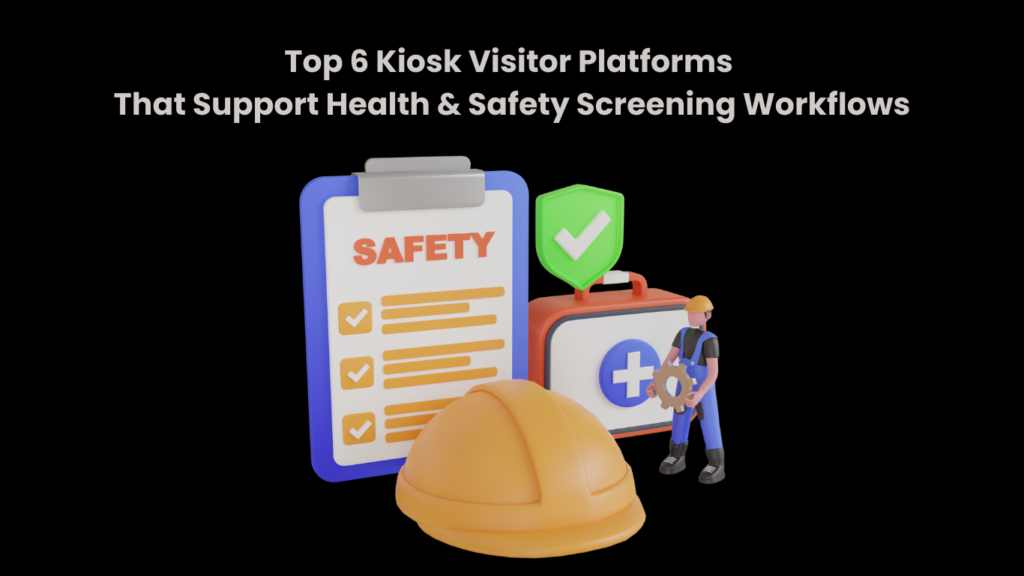
Top 6 Kiosk Visitor Platforms for Health & Safety Screening
These tools help organizations manage check-ins, reduce physical contact, and guide visitors through basic screening steps in a simple, organized way.
1. Qminder
Qminder is a touchless kiosk check-in platform built for clinics, offices, and public service centers that need safe, structured entry points. As healthcare appointment tracking software like Qminder, it helps organizations manage visitor flow while supporting health screening and distancing practices at reception areas.
Visitors can check in using a self-service kiosk, QR code, or their own mobile phone before arriving. Once registered, they receive real-time updates, so they do not need to crowd waiting areas. Staff can monitor arrivals, wait times, and service status from one dashboard, making it easier to keep entrances calm and controlled.
Key Features:
- Touchless check-in via kiosk, QR code, mobile link, or browser for safer entry
- Real-time SMS or app alerts to reduce lobby congestion
- Central dashboard for managing multiple counters or locations
- Detailed tracking of wait times and visitor movement
- Custom reports to identify delays and improve screening workflows
- Smooth integration with existing scheduling and service systems
Pros:
- Easy for visitors to use without staff assistance
- Helps maintain distancing and organized queues
- Scales well for large or multi-location setups
Cons:
- May offer more features than very small offices need
Pricing: Free 14-day trial available. Paid plans start at $789/month.
2. Nemo-Q
Nemo-Q is a touchless kiosk and visitor management platform built for busy environments like hospitals, government offices, and large campuses where health screening and crowd control matter every day. It helps organizations manage both walk-in visitors and scheduled appointments without creating long, crowded waiting areas.
Visitors can check in using a kiosk, QR code, or mobile link, then receive real-time updates about their position in line and where to go next. This keeps foot traffic moving and reduces unnecessary gathering near reception desks. For staff, Nemo-Q offers a centralized view of all queues and service points, making it easier to balance workloads and maintain safe visitor flow.
Key Features:
- Check-in through kiosks, QR codes, or mobile devices for flexible access
- Digital signage showing ticket numbers, wait times, and directions
- Real-time SMS alerts to keep visitors informed without crowding
- Appointment scheduling integrated with live queue management
- Built-in feedback tools to support service and process improvement
Pros:
- Supports both in-person and remote check-ins
- Well suited for multi-department and high-volume locations
Cons:
- Staff may need training to manage mixed queues efficiently
- Digital signage setup can take time initially
Pricing: Plans start at $290 per month.
3. Qtrac
Qtrac is an enterprise-level visitor check-in and queue management platform designed for large offices, campuses, and service centers that handle heavy foot traffic and strict safety workflows. It supports walk-ins, scheduled visits, and virtual check-ins through kiosks, QR codes, or SMS links, helping visitors stay informed without gathering around reception areas.
It is especially useful in multi-department facilities where managing health screening, routing, and wait times can become complicated. With live dashboards and intelligent queue routing, staff can redirect visitors, balance workloads, and step in quickly when lines start to build up, even during busy periods.
Key Features:
- Smart queue routing to move visitors between departments smoothly
- Real-time alerts when wait times cross set limits
- Greeter mode for quick screening and service assignment
- Offline support to keep queues running during network issues
- Centralized dashboard for visibility across multiple locations
Pros:
- Performs well in large, high-volume environments
- Offers strong control over visitor flow and prioritization
Cons:
- Greeter workflows may require staff training
- Offline mode has limited data syncing
Pricing: Custom pricing available on request.
4. Qwaiting
Qwaiting is a touchless kiosk and virtual queue platform built for busy public offices like DMVs, permit centers, and municipal service locations. Visitors can check in using a kiosk, mobile link, or web page, then receive updates through SMS, WhatsApp, or email. This helps keep waiting areas organized, reduces crowding, and supports smoother health and safety screening workflows.
With strong multi-branch and multi-language support, Qwaiting works well for public agencies that serve large, diverse populations across multiple locations. It gives staff better visibility into queues while making the check-in process simple and predictable for visitors.
Key Features:
- Appointment scheduling combined with virtual queue management
- Staff dashboard with call-forwarding and visitor handling tools
- Real-time queue updates shown on digital display screens
- Multi-language support with custom branding options
- Cloud-based system for managing multiple branches centrally
Pros:
- Easy for both visitors and staff to learn and use
- Helpful live reports for improving service flow
Cons:
- Limited customization on lower-tier plans
- Mobile check-in may slow down during peak hours
Pricing: Available on request.
5. Qnomy
Qnomy is a healthcare-focused queue and patient journey management platform built for hospitals and medical centers where coordination, safety, and timing all matter. Rather than just managing waiting lines, it supports the full patient journey, from booking an appointment to completing treatment. Patients can check in through kiosks, mobile apps, or virtual lobbies, while staff route them based on urgency, department needs, and availability.
This makes Qnomy a strong fit for multi-department hospitals that need clear visibility and smooth handoffs between teams, especially when health screening and patient prioritization are part of daily operations.
Key Features:
- End-to-end patient flow management across front and back office
- Skill-based routing to match patients with the right staff
- Custom workflows aligned with hospital protocols
- Centralized portal for multi-service appointment scheduling
- Interaction tracking across in-person and digital touchpoints
Pros:
- Works well for hospitals connecting patient flow with internal systems
- Flexible workflows without heavy development effort
Cons:
- Setup can take time in complex environments
- Interface may feel overwhelming for smaller teams
Pricing: Available on request.
6. Qmatic
Qmatic is a cloud-based kiosk and visitor check-in platform designed for high-volume government offices such as DMVs, licensing centers, and permit offices. It supports both walk-ins and scheduled visits through touchscreen kiosks, QR codes, and web links. After checking in, visitors receive real-time updates on their phones or on digital displays, helping offices keep queues organized even during busy periods.
With built-in virtual queuing and priority routing, Qmatic makes it easier to fast-track seniors, urgent cases, and special-service visitors. Its reporting tools also give managers clear visibility into wait times and service performance across locations.
Key Features:
- Web and kiosk-based check-ins with virtual ticket generation
- Live queue updates via mobile alerts and digital signage
- Priority routing for special and high-need visitors
- Centralized dashboards with performance analytics
- Integrations with government and municipal systems
Pros:
- Covers the full visitor journey from entry to service
- Strong data and reporting for improving workflows
Cons:
- Setup may require technical support
- Admin tools can feel complex for smaller teams
Pricing: Custom pricing available on request.
Read More: How to Fix ChatGPT Plagiarism: The Tools That Actually Work for Students
Conclusion
Choosing the right kiosk platform depends on how complex your visitor flow is and how important health and safety screening is in your daily operations. Some tools focus on simple, touchless check-ins, while others support advanced routing and full journey tracking.
The best systems help reduce crowding, improve visibility, and make entry feel calm and organized. By investing in a reliable kiosk solution, organizations can protect staff and visitors while delivering a smoother, more confident service experience every day.
FAQs
What is a kiosk visitor platform with health & safety screening?
It’s a self-service check-in system that lets visitors register on arrival while completing required health and safety checks, such as symptom declarations or policy acknowledgements, before entry.
Why is health & safety screening important for visitor check-ins?
Screening helps organizations reduce risk, meet regulatory requirements, and ensure only eligible visitors enter the space, without slowing down the check-in process.
What health screening features should I look for in kiosk visitor platforms?
Look for customizable questionnaires, digital consent forms, automated alerts for failed screenings, contactless check-in options, and secure record keeping.
Are these kiosk platforms compliant with privacy laws?
Most modern platforms are built to comply with privacy regulations like GDPR or HIPAA, using encrypted data storage, access controls, and clear consent mechanisms—but compliance should always be verified per vendor.